 2:26
2:26Video Studio Overview: Make a Video with AI
One sentence in, a finished video out: a script written from your own material, and the price shown before an AI shot.
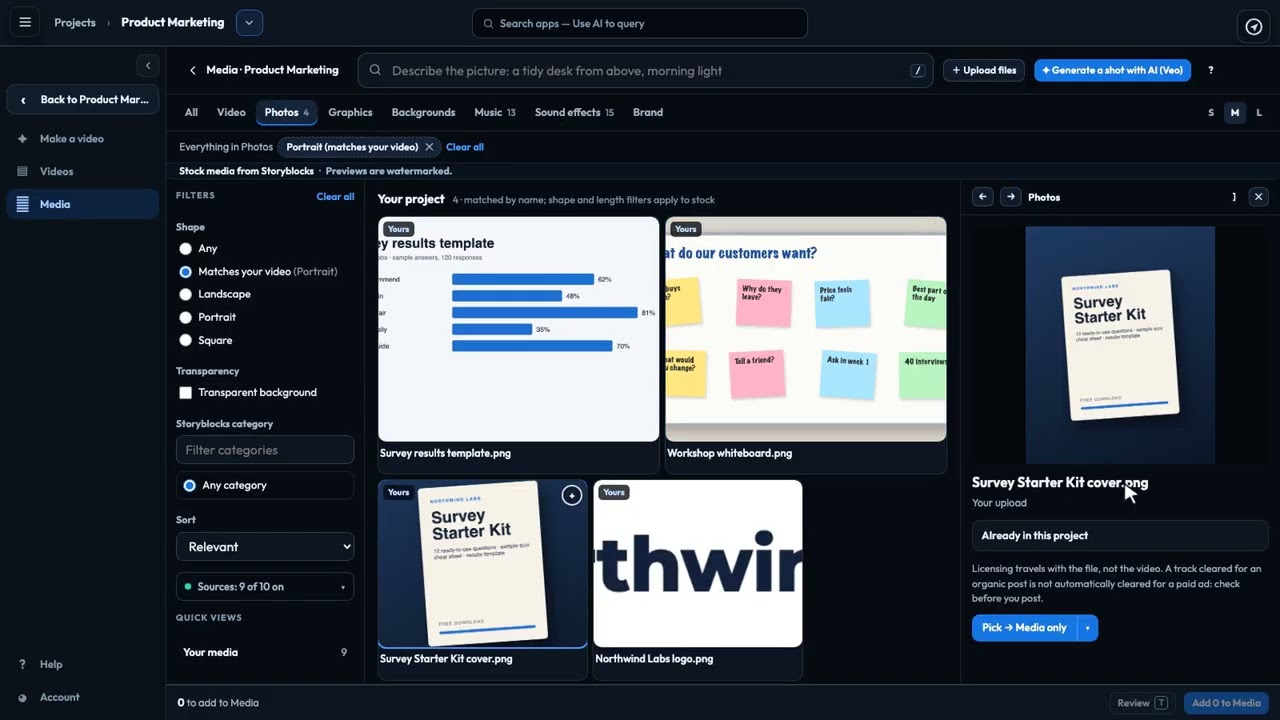
Find every picture, clip and sound for your videos in one place. See how the Media Browser lists your project's own files, uploads new ones, searches Storyblocks stock, and brings licensed footage into your project, ready to place in any video.
Recorded in the real product, using a fictional company, Northwind Labs.
Try it in VeraGen
Script-to-screen marketing videos with AI footage, voiceover, music and captions. No crew, no editor, no agency invoice.
See Video StudioMore in Video Studio
2:26One sentence in, a finished video out: a script written from your own material, and the price shown before an AI shot.
 2:53
2:53The editor's two side panes: build with Scenes, Media, Library and Effects; fine-tune with Properties, Layers and the AI director.
 2:37
2:37See the video as viewers will, choose the voice, export every shape you need and publish it to your profile.
 2:17
2:17Scrub, zoom, move, trim and split: every part of your video laid out over time, with undo for any change.
One account, every app, and $5 of AI usage to start. Set up in minutes; cancel any time before the trial ends and you pay nothing.