Tellagent · Agentic AI Workflows
Tellagent runs the work that never ends on AI, not on a person. Agentic AI workflows research, write, check their own work and act. Automations follow up with every lead, order and invoice by email and text. Your chatbot answers visitors on any website from your own documents. Describe what you want and Odin builds it. You approve what matters.

1 Agentic AI Workflows
An ordinary automation moves data from A to B. An agentic workflow does the thinking in between: it gathers what it needs, reasons about it, checks its own draft against the standard you set and decides where the result goes. Build it from blocks, or describe it and Odin builds it.
Project context gives every step your own documents, datasets and skills, so it works from your material, not a guess.
Reads the web pages you list, collects a page or the documents it links to, and curates your RSS and Atom feeds.
Each Agent step runs the prompt you write, on the default model or a deep-reasoning model for the harder thinking.
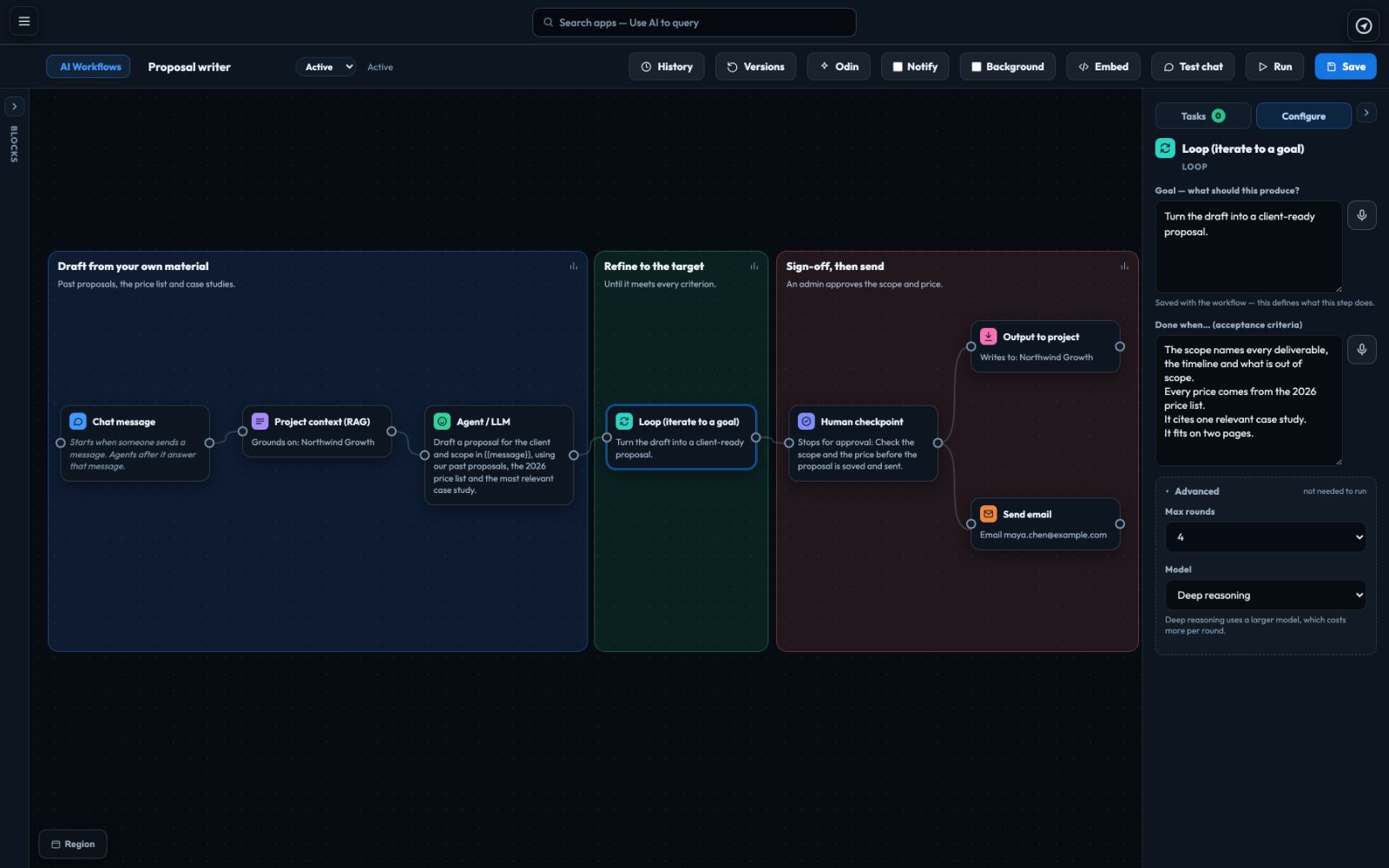
A Loop drafts, improves and re-drafts until it meets your “Done when…” criteria, up to 6 rounds, and keeps the best version.
Branches run at the same time and meet again in one step that uses all their results. A Condition sends each path where it belongs.
A Human checkpoint pauses the run and emails you. Approve it, or reject it with a note. Leave it out where you trust the work.
Posts to Slack, sends an email, emails a digest to a tagged list, saves a page in your project or calls a web service.
On a schedule, when you press Run or when someone sends a chat message, in the background, with an email when it’s done.
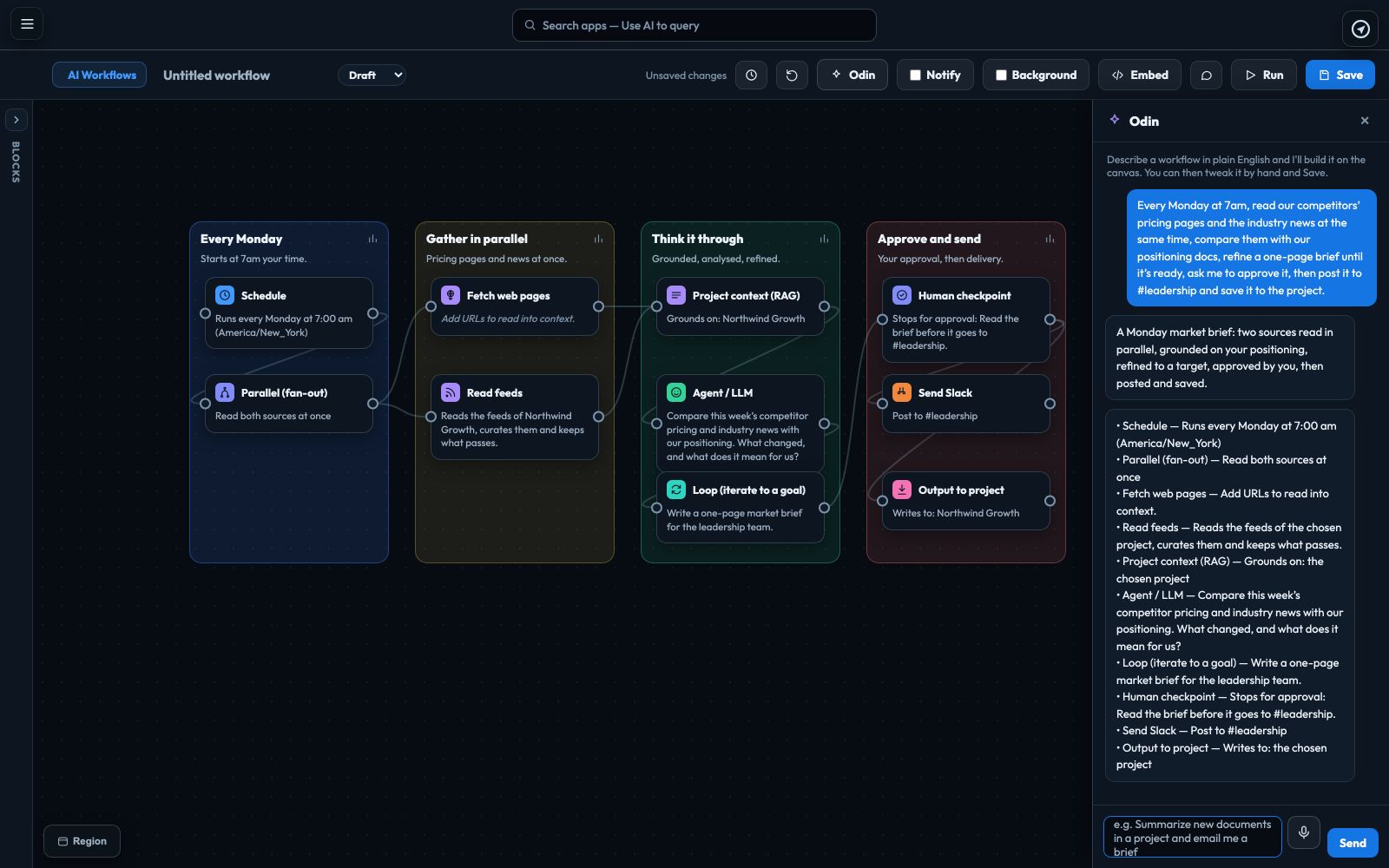
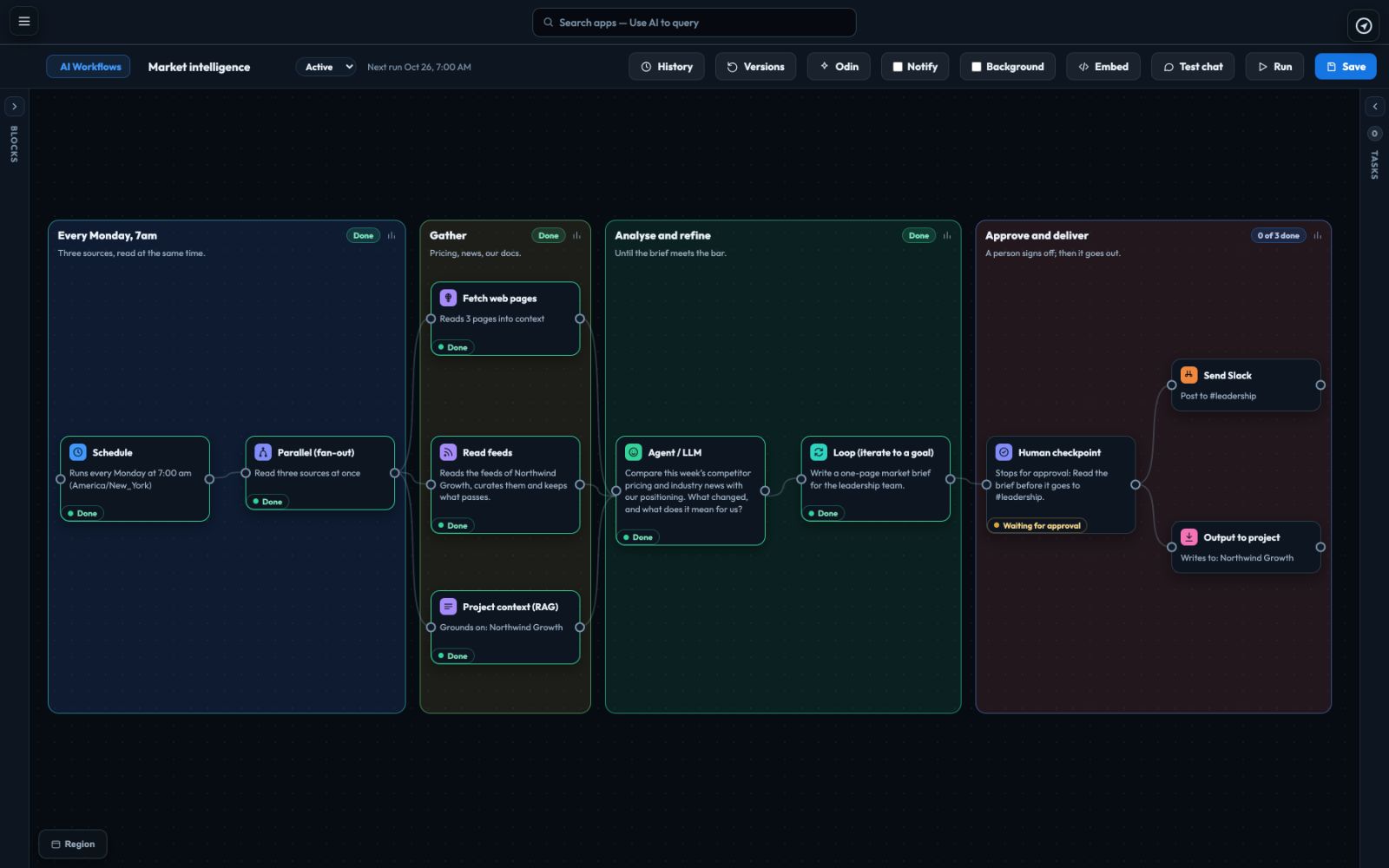
Every Monday at 7:00 the schedule starts it. Three branches run at once: one reads your competitors’ pages, one reads the industry feeds and one reads your own positioning and price list. An Agent on deep reasoning writes the brief, a Loop sharpens it until every takeaway has its source, you approve it, and it lands in Slack and in your project.
A proposal writer reads your past proposals, price list and case studies, then a Loop drafts, improves and re-drafts. You write what “done” means, such as “covers scope, price and timeline, under two pages, in our tone”, and it stops when the draft meets it, keeping the best version.

Tell Odin “every Monday, read our three competitors’ pricing pages, compare them with our price list and post a summary to Slack”, and it puts the blocks on the canvas and lists what it made. Check it, change anything, then save. Or start from a template: Grounded summary, Scheduled digest, Research & notify, Refine to a target, or Research pipeline.

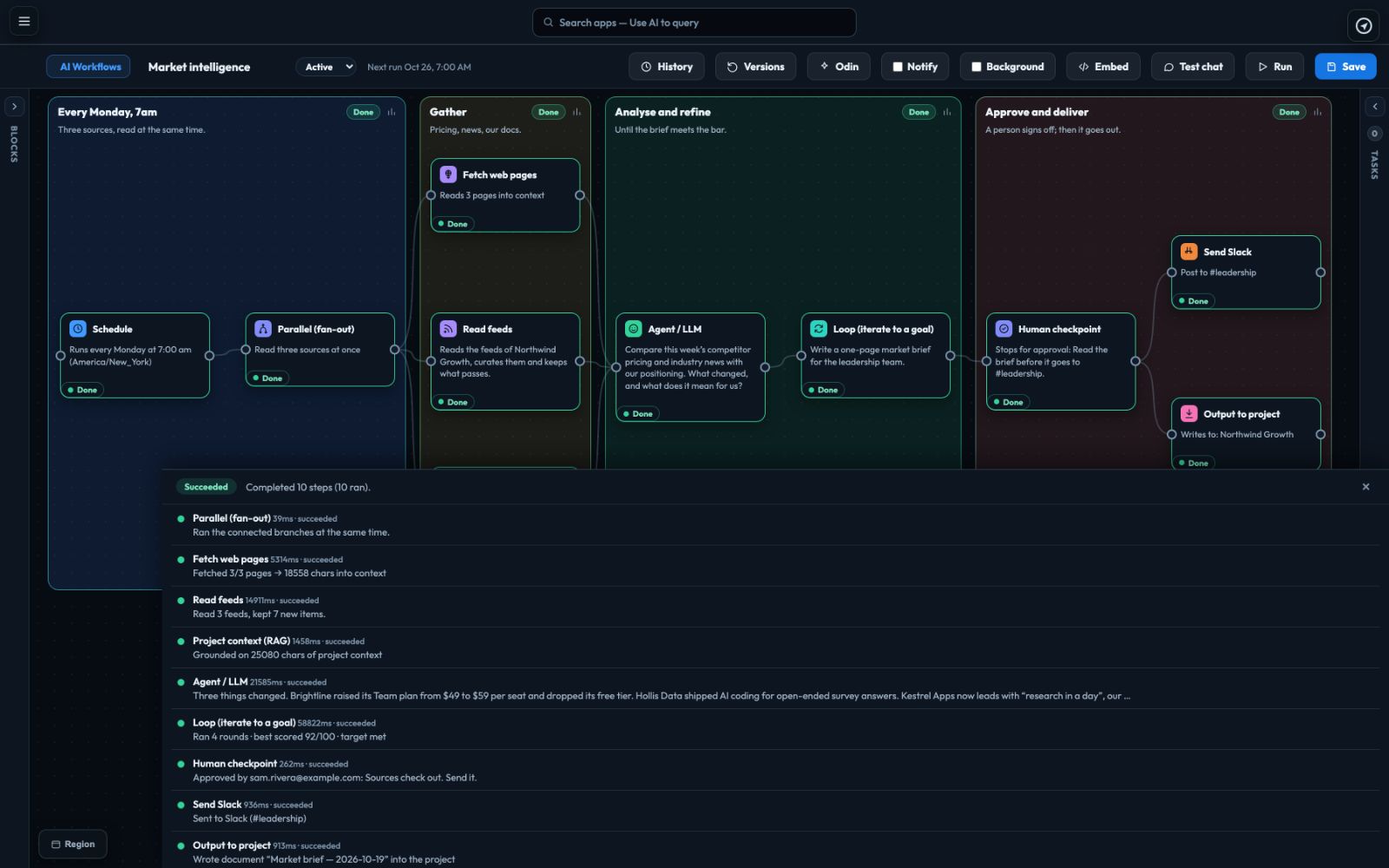
A run shows each step as it happens: the branches running side by side, each round of the Loop, what every step produced, and what the whole run cost. At a Human checkpoint it waits, emails you, and carries on only when you approve.

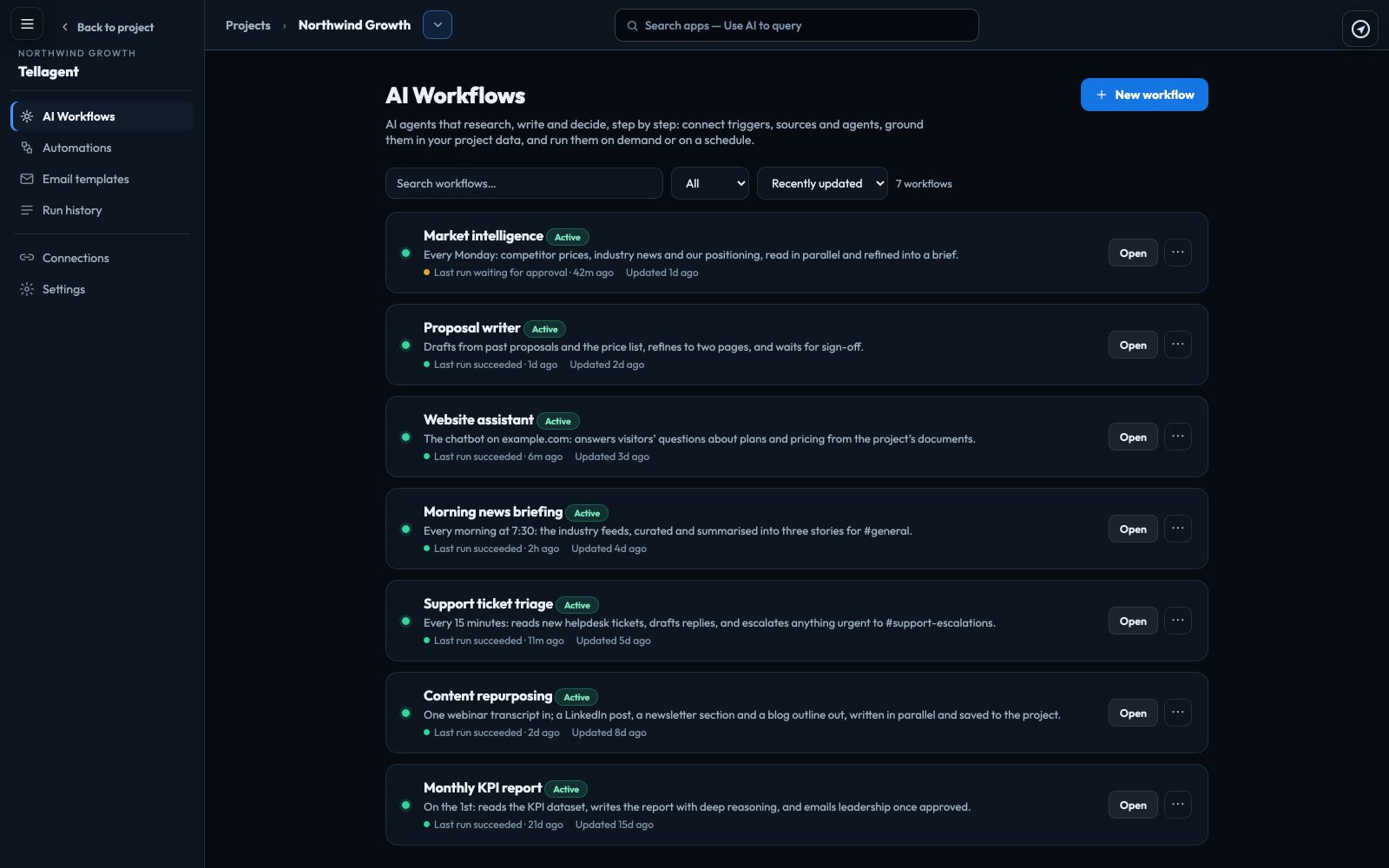
Every workflow in the project, with its status, when it last ran and whether it worked. One whose last run failed is marked in red and sorts to the top, so nothing quietly stops working.

Read feeds collects the newest items from the RSS and Atom feeds you choose, and the AI files and scores each one. Add Email a digest after a schedule and the newest go out as one email, every day at the time you pick, to every Thrive contact with a tag. Publish the collection and any website can show it, with a sign-up that adds people to that tag.
What you can build
A few of the jobs teams give Tellagent. Each one is built from the blocks above: what starts it, what the AI does, and where the result lands.
2 Automations
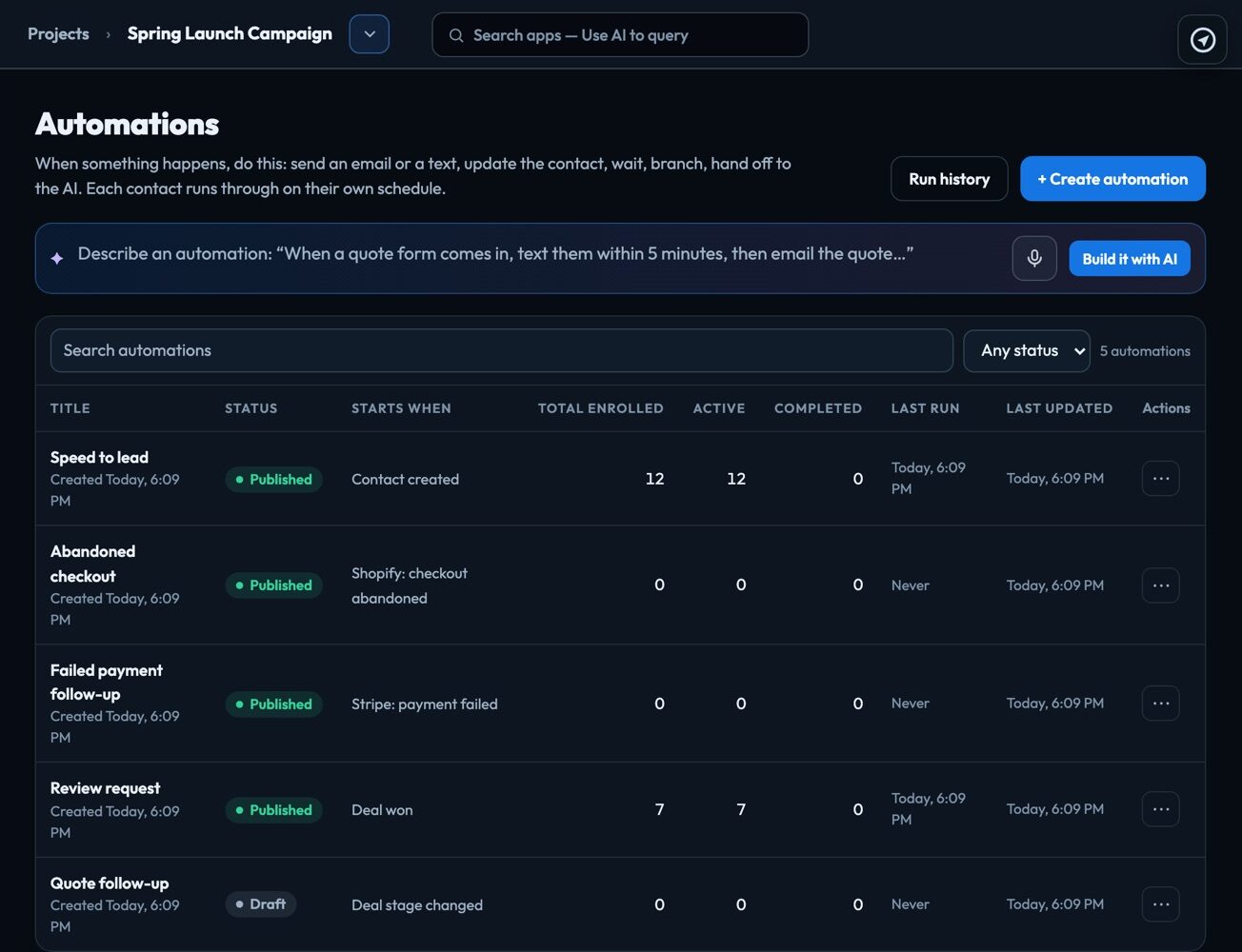
When a lead comes in, an order is placed, an invoice is due or a payment fails, the right email or text goes out on its own, for each contact on their own clock, from the CRM where you keep your customers. AI writes the message and sorts the replies.
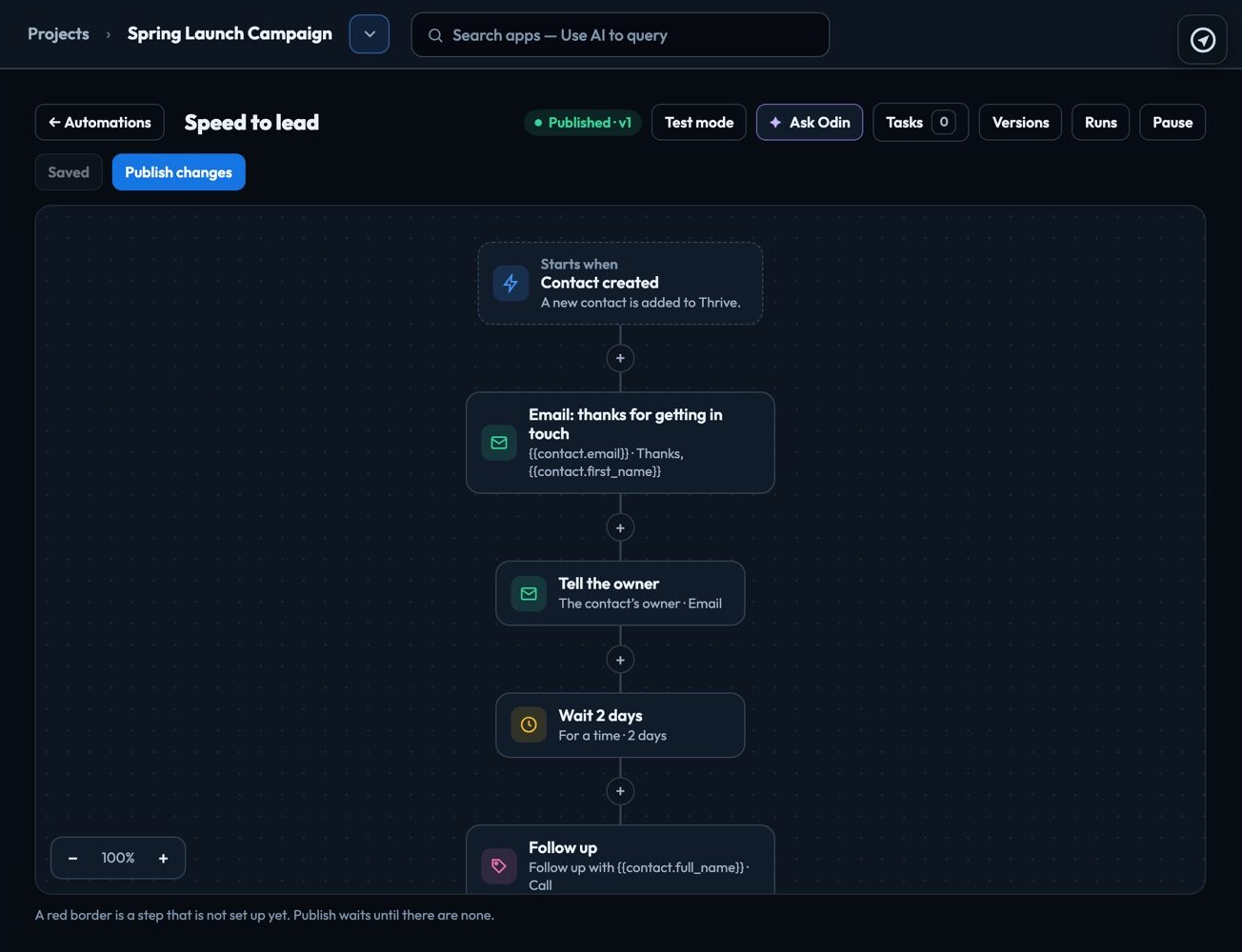
A new contact gets a reply straight away, and the owner is told. The first business to answer usually wins the job.
Quote sent and no answer? Wait two days, follow up, and stop the moment they reply or the deal is won.
Someone leaves your Shopify or WooCommerce checkout. An hour later they get an email with the link back to it.
A few days after a deal is won or an order arrives, ask for the review, while the good experience is fresh.
A Stripe payment fails: the customer gets the link to pay, and you hear about it if it fails again.
A Calendly booking sends a confirmation with the meeting time written out in the customer’s own time zone.
Type “when a deal moves to Proposal, email the quote, wait 2 days, and if they haven’t replied, text them” and Odin proposes the whole automation. Or start from a ready-made one and change what you like. Nothing goes live until you publish it.

Build it top to bottom: what starts it, then each step. Send an email or a text, tag the contact, move the deal, create a task for your team, wait, or take a different path depending on what the contact did. “Wait 2 days” works for every contact separately.

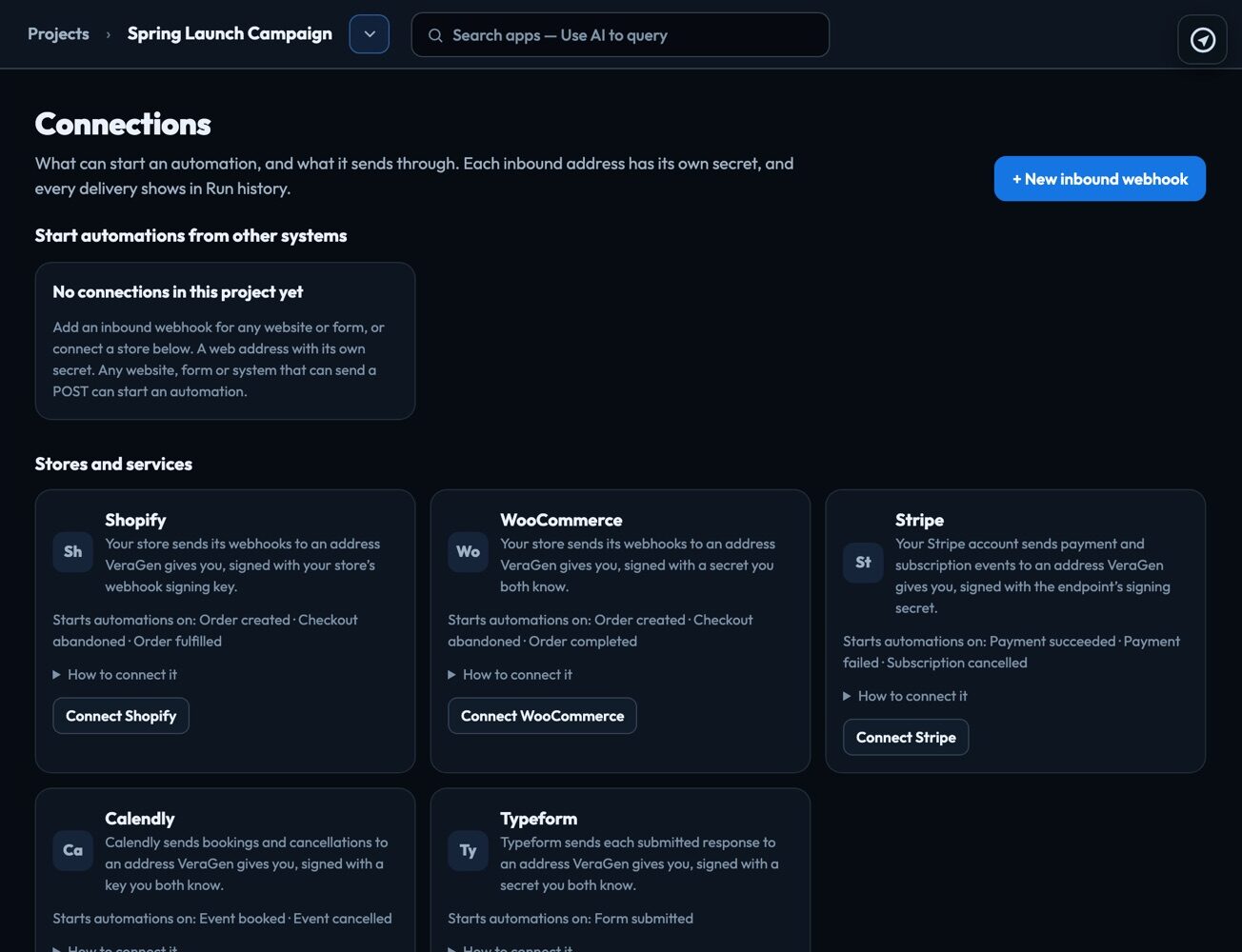
An order in Shopify or WooCommerce, a payment in Stripe, a booking in Calendly, a Typeform answer or a post from any website form can start an automation. The person becomes a contact in Thrive CRM, matched by email, so every message lands on one record.

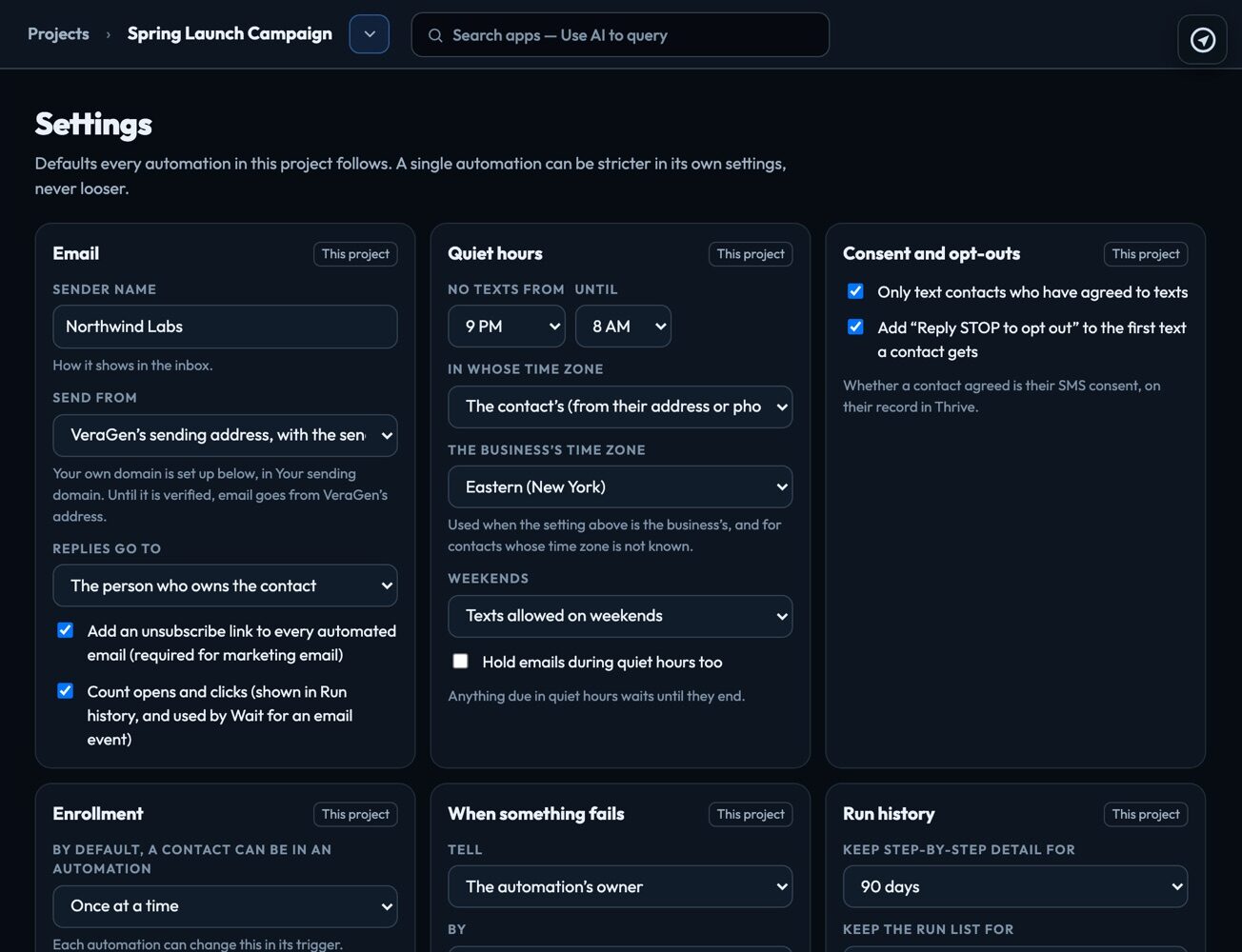
VeraGen provides the phone number and registers your business with US carriers, so there is no texting account to open. Email goes from VeraGen’s sending address with your business name, or from your own domain once you verify it.

3 Your chatbot, on any website
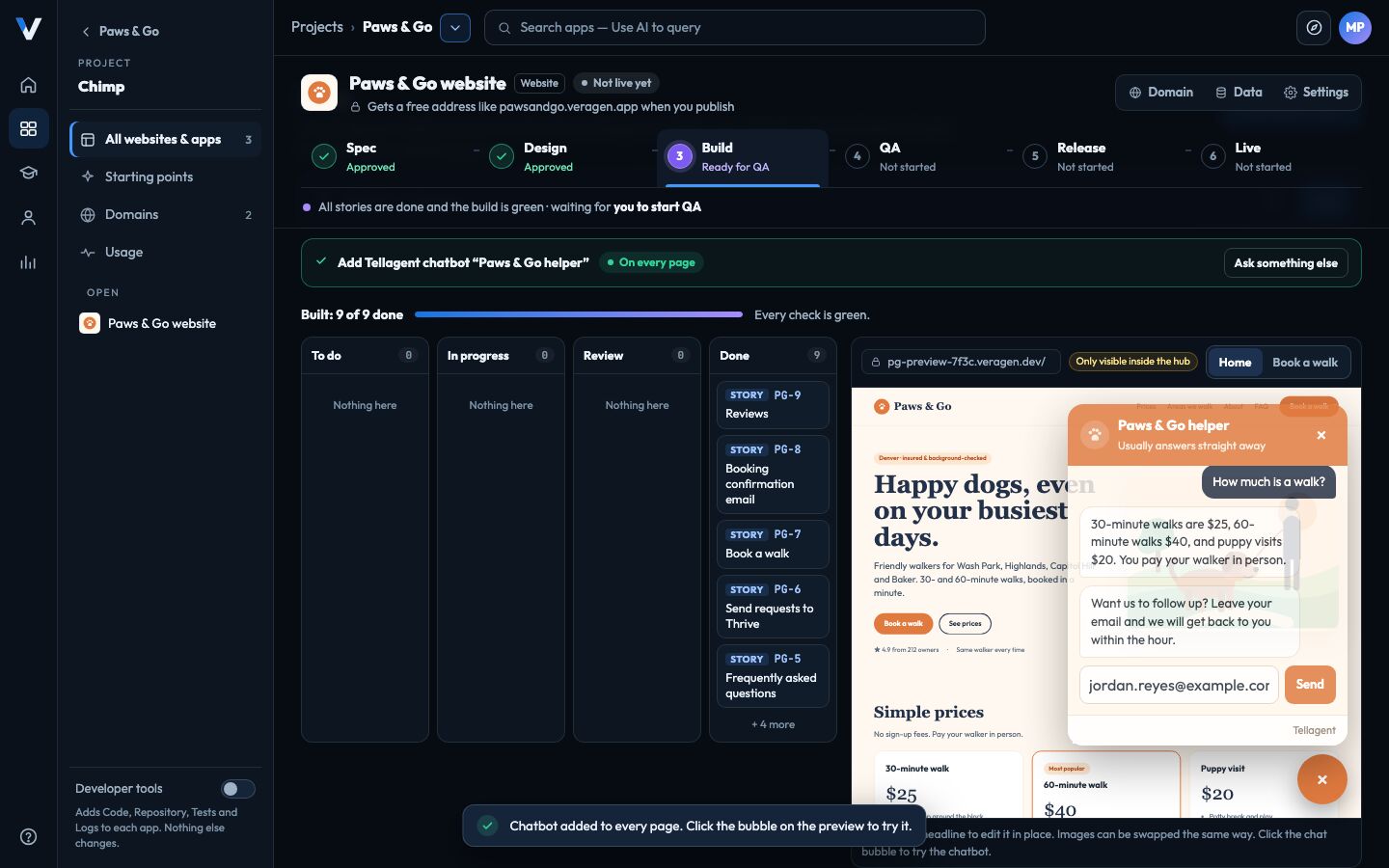
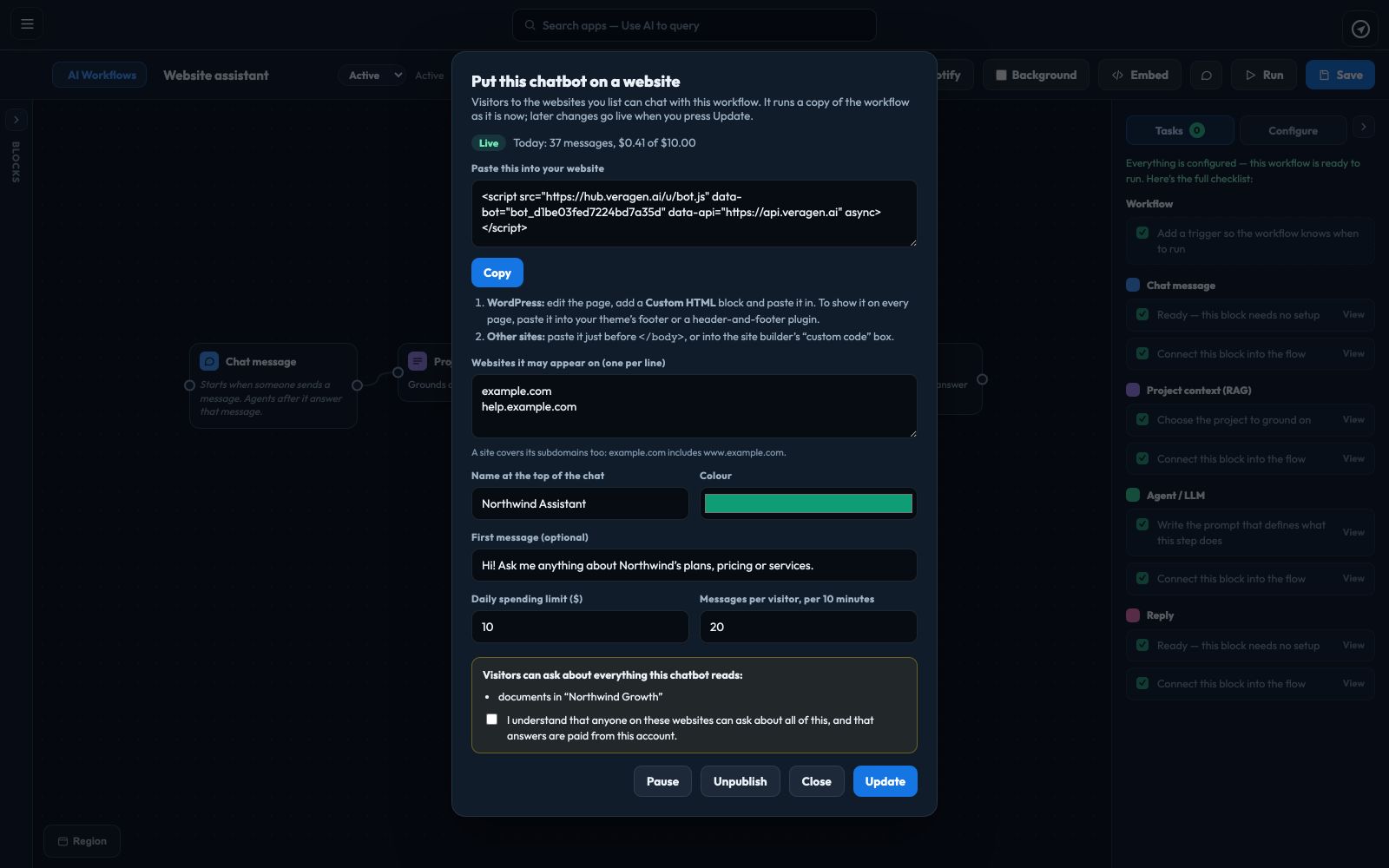
Build it as a chat workflow, try it in Test chat, then click Embed and paste one snippet into your website: WordPress, any site builder with a custom code box, or any page you can edit. On a website built with Chimp it takes one click.
The chatbot reads the documents and web pages you choose and writes each answer from them, at 11pm as well as 11am. Before you publish, you see the full list of what visitors can ask about.

A public chatbot can only read and answer: it can’t send email, post or change anything. You decide where it appears and what it may spend, and you can pause it any time.

Replaces an automation tool like Zapier or Make, a standalone AI agent builder, a website chat widget and a separate texting service — Tellagent is included in every VeraGen plan, already knows your documents and your CRM, and texts are charged only as you send them.
It does more than pass data along. Its AI steps read your documents and the web, reason about what they found, check their own work against criteria you set in a Loop and take a different path with a Condition, then act: Slack, email, your project or a web service.
Only what you choose. Add a Human checkpoint wherever someone should approve before the run carries on, and leave it out where you trust the work. Every run is recorded step by step in History.
Each AI step is charged to your account’s AI credit and shown in Usage & spend under Tellagent. A single run stops if it spends $5.00.
Yes. Click Embed, list the websites it may appear on, set its limits and publish, then paste the code into WordPress, your site builder’s custom code box or just before </body>. On a Chimp website it takes one click.
No. VeraGen provides the phone number and runs the texting for you. Each text is charged to your VeraGen account and shows on Billing.
Email works straight away. US carriers require every business that texts to be registered first: you fill in your business details once, VeraGen sends them for registration, and texts can go out once it is approved, usually within a few business days.
They can. Emails go from VeraGen’s sending address with your business name until you add and verify your own domain; replies go to the person you choose.
Thrive CRM itself (a new contact, a tag, a deal moving stage, a deal won or lost, a birthday), Shopify, WooCommerce, Stripe, Calendly, Typeform, email and text replies, a schedule, and any website or service that can post to a webhook.
Test mode runs a draft for one contact and sends everything to you. Conditions decide who starts, a goal takes people out, texts respect consent and quiet hours, and only owners and admins can publish unless you change that.
Works together
Every app shares your files, your brand and your customers, and Odin works across all of them.
One account, every app, and $5 of AI usage to start. Set up in minutes; cancel any time before the trial ends and you pay nothing.