Home / Products / Create

Chimp New

Your website. Your app. Built and run by you.

Describe what you want in a sentence. Chimp’s AI product manager, designer, engineer and QA tester write the spec, design it, build it and test every release, and nothing moves on until you approve it. No developer, no agency, no waiting list.

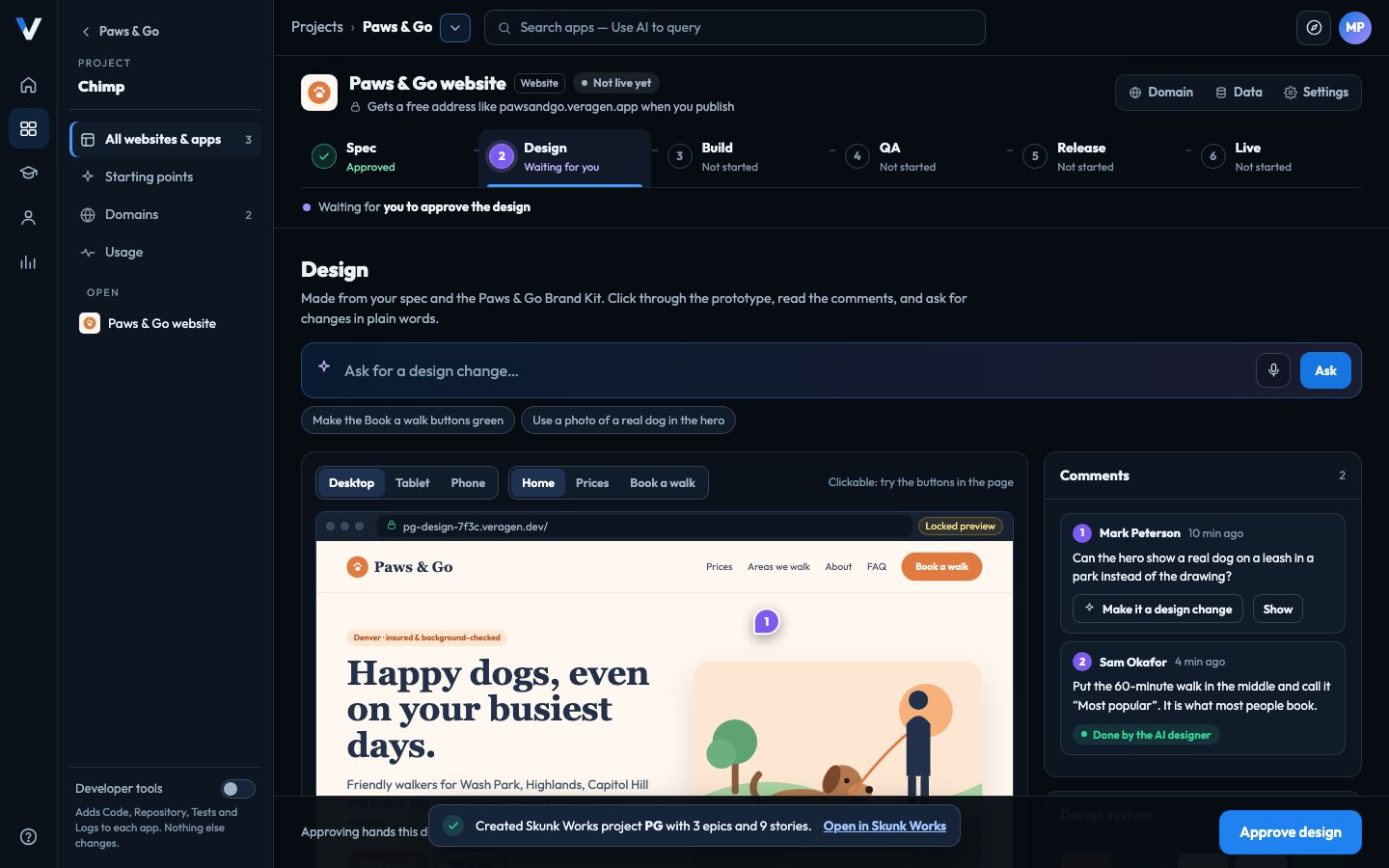
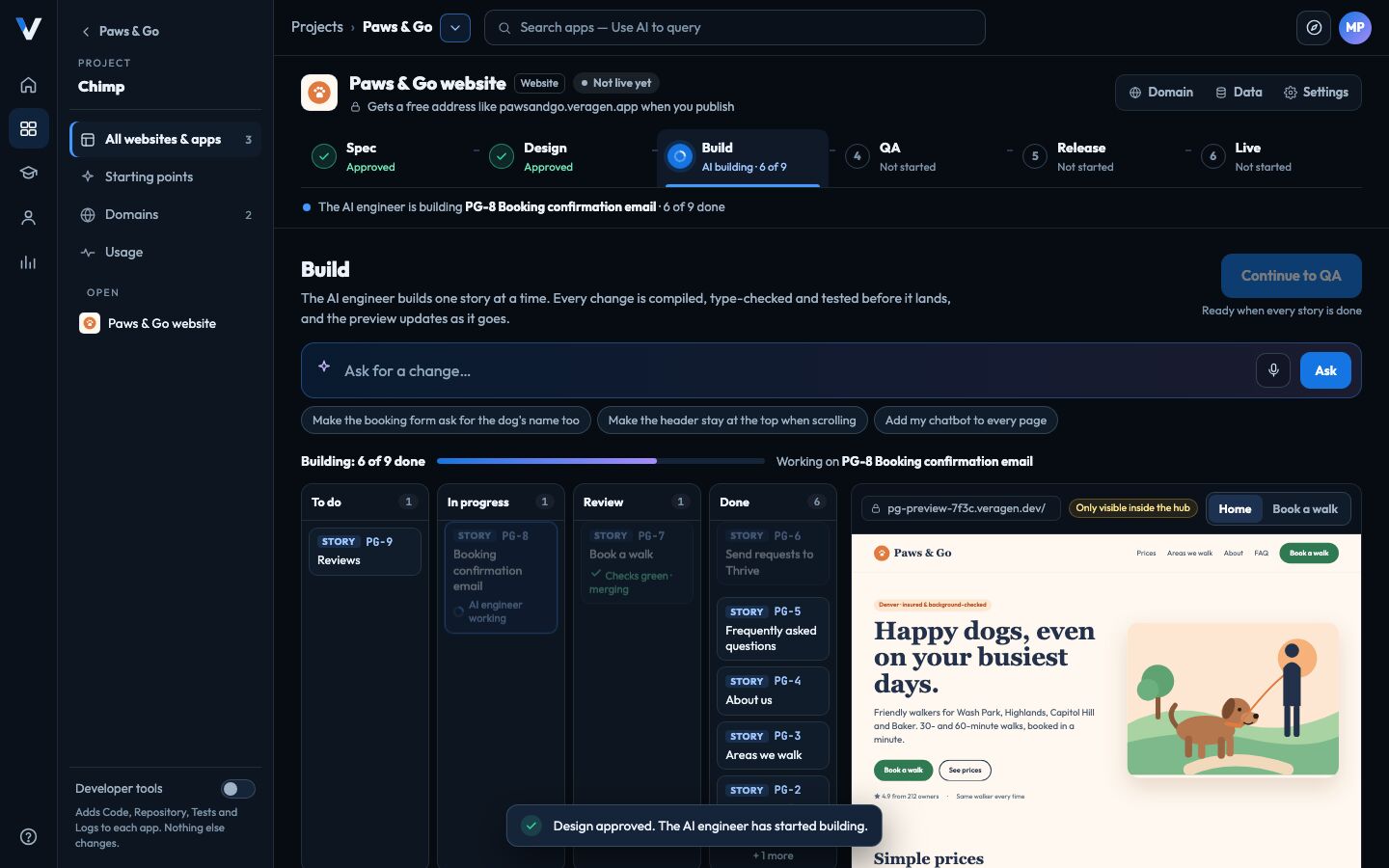
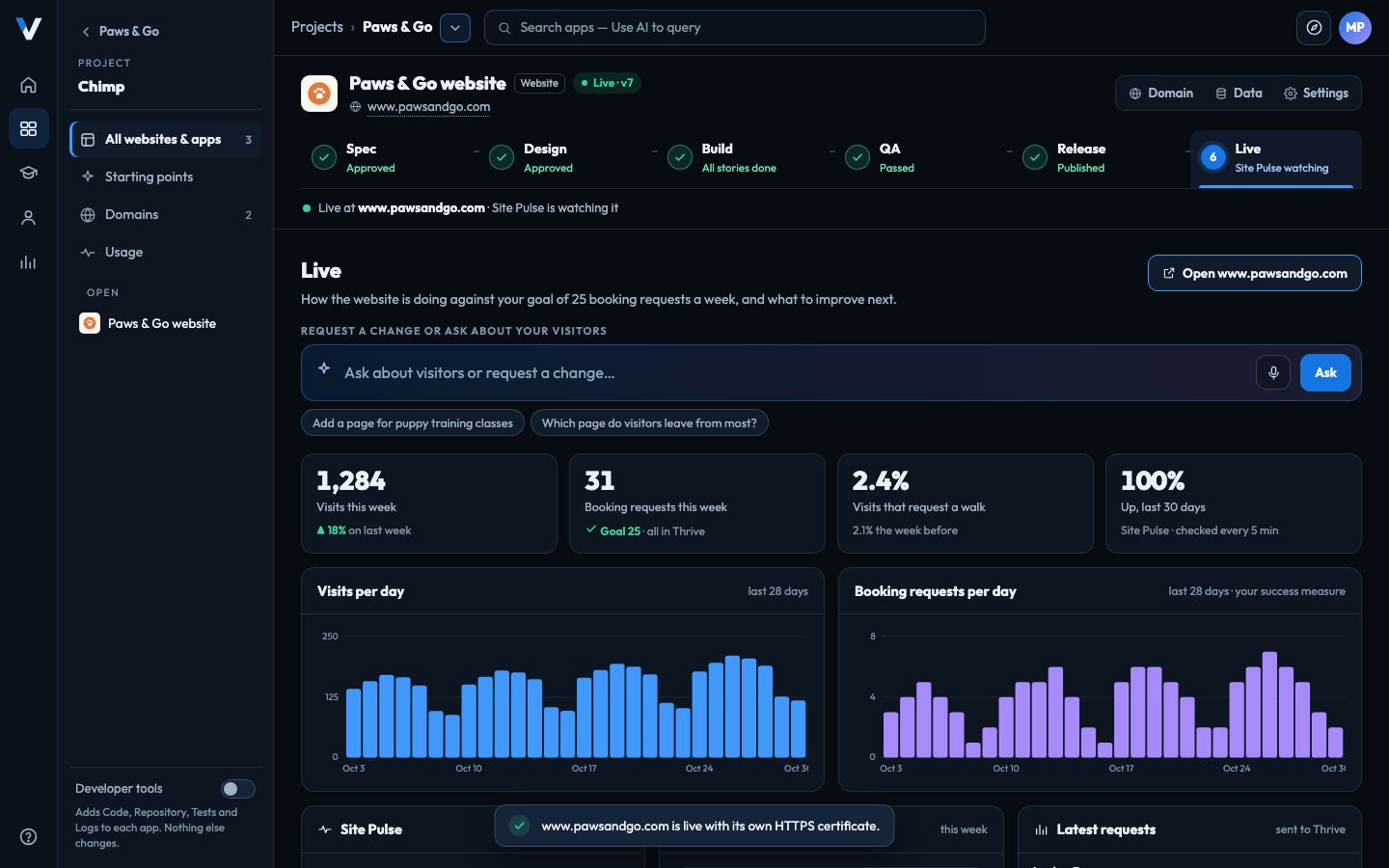
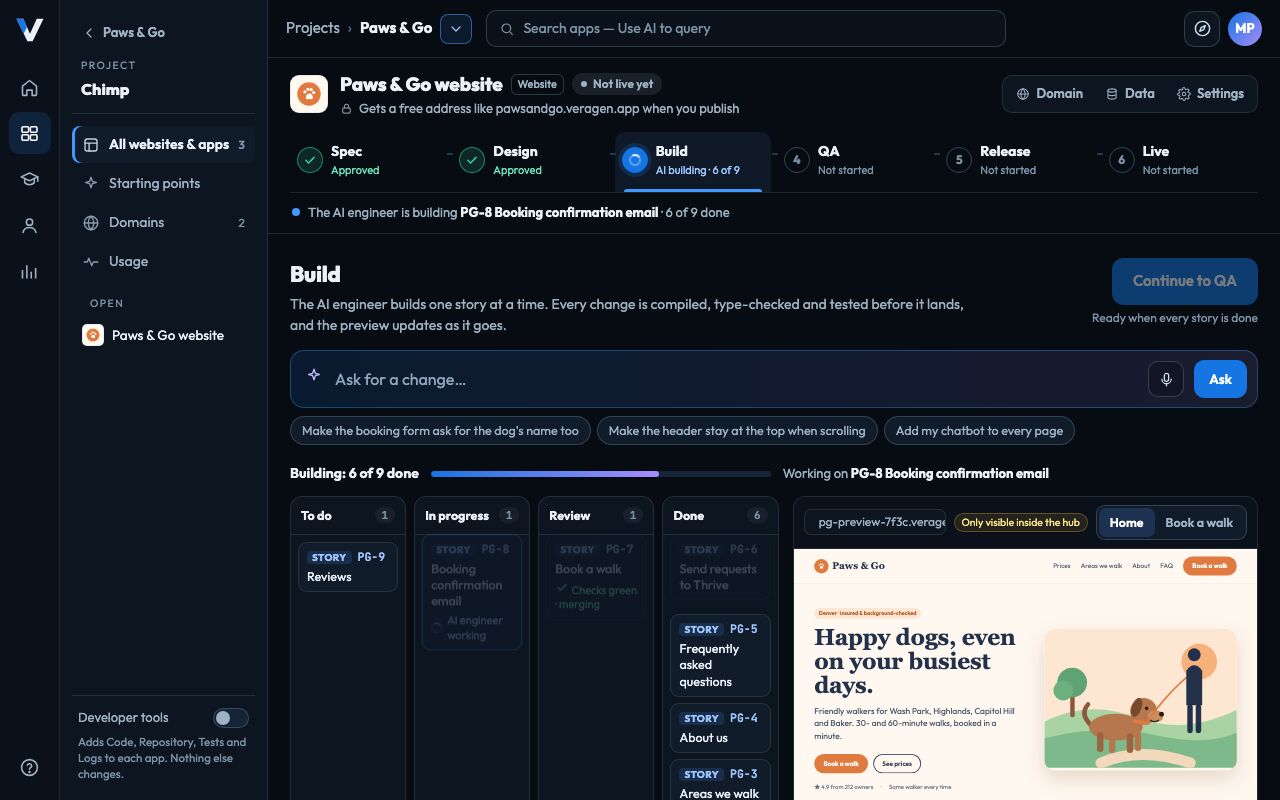
Chimp building the Paws & Go website: Spec and Design approved, the AI engineer on story 6 of 9, and a live preview of the website
The VeraGen app, with a made-up business’s data.

Chimp

A whole software team, and you’re the boss.

An AI team for every role

A product manager to write the spec, a designer, an engineer and a QA tester, each doing their part of the job and showing you the result.

You approve every step

Spec, design, build, testing and release each wait for your yes. Nothing is published until every check is green.

Yours, end to end

Your domain, your content, and the code in a repository: ours by default, or your own GitHub or GitLab. Take it with you whenever you like.

Six steps

From a sentence to a live website. You approve every step.

Each step has an AI doing the work of one role on a software team, and a gate that waits for you.

Step 1 · AI product manager

Spec

Describe it in a sentence. The AI product manager asks five to seven quick questions, each with a suggested answer, then writes the spec: every page, what visitors can do, and how you’ll know it works.

  • Accept an answer in one click, or say it your way.
  • It never makes up your prices or hours. A fact only you know is marked “Please check”.
  • Saved in Data Management, with every story in Skunk Works.
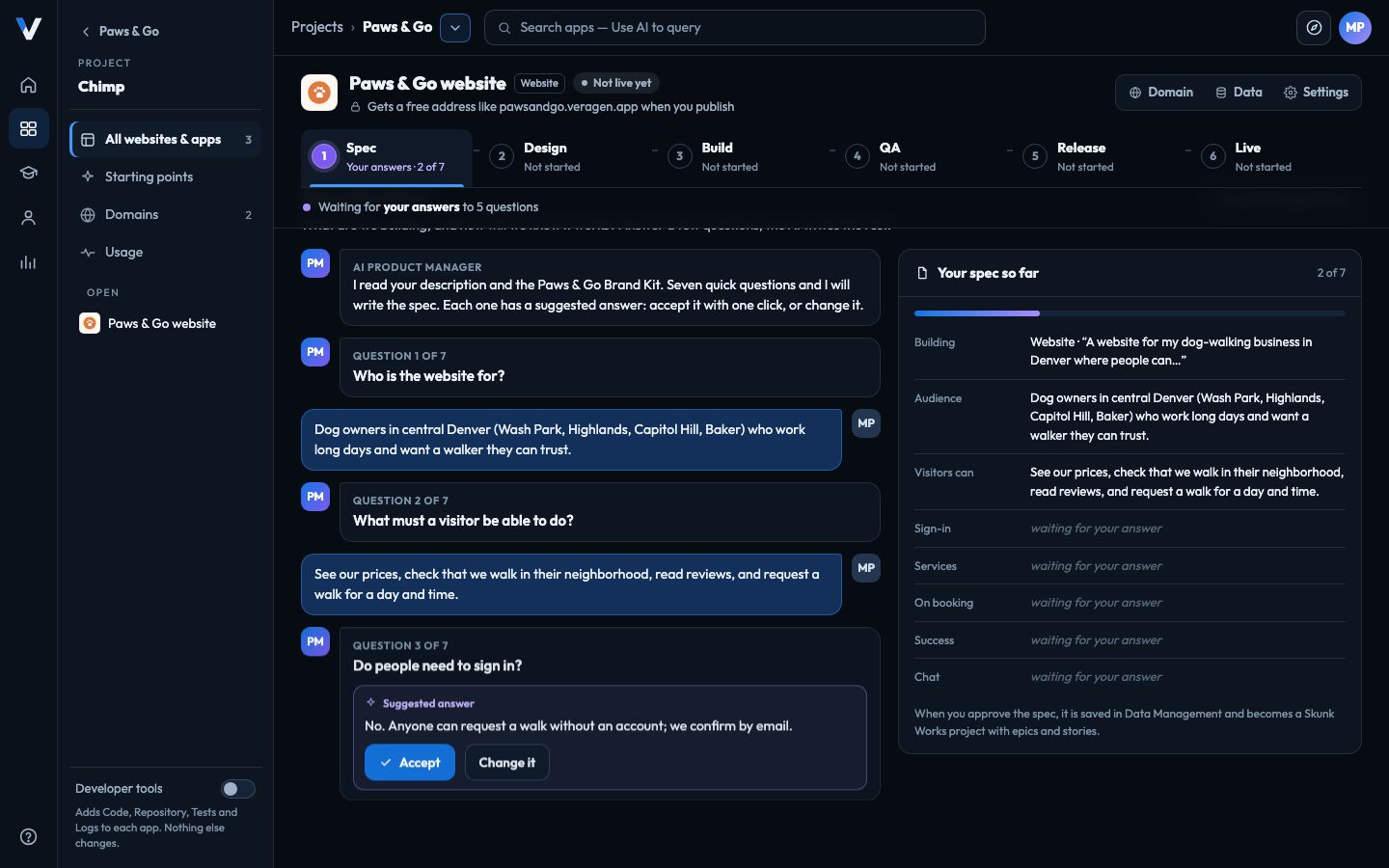
Chimp’s Spec step: the AI product manager asks who the website is for, with a suggested answer to accept, and the spec fills in on the right
Chimp, with a made-up business’s website.

Start with a sentence. Or with the site you already have.

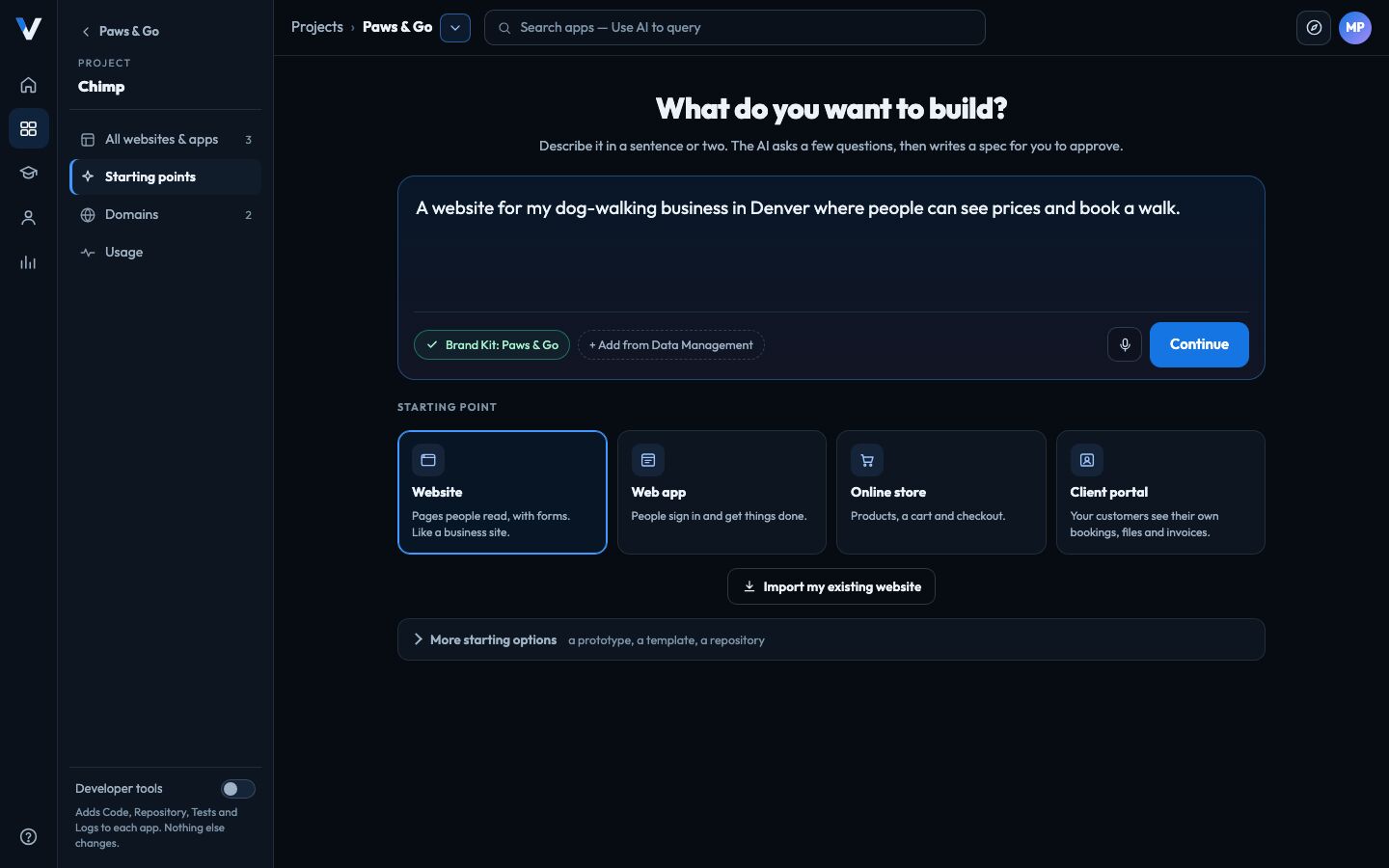
Type or say what you want: “a website for my dog-walking business where people can see our prices and book a walk.” Choose a starting point, and Chimp uses your Brand Kit so it looks like you from the first draft.

  • Website, web app, online store or client portal, or a prototype to share for comments first.
  • Import my existing website to keep your current address.
  • Add pages from Data Management so the AI reads your own material.
Chimp’s New website or app screen: a one-sentence description, the Brand Kit, and four starting points: Website, Web app, Online store and Client portal
The VeraGen app, with a fictional company’s data.

Your own domain, with HTTPS, in two records.

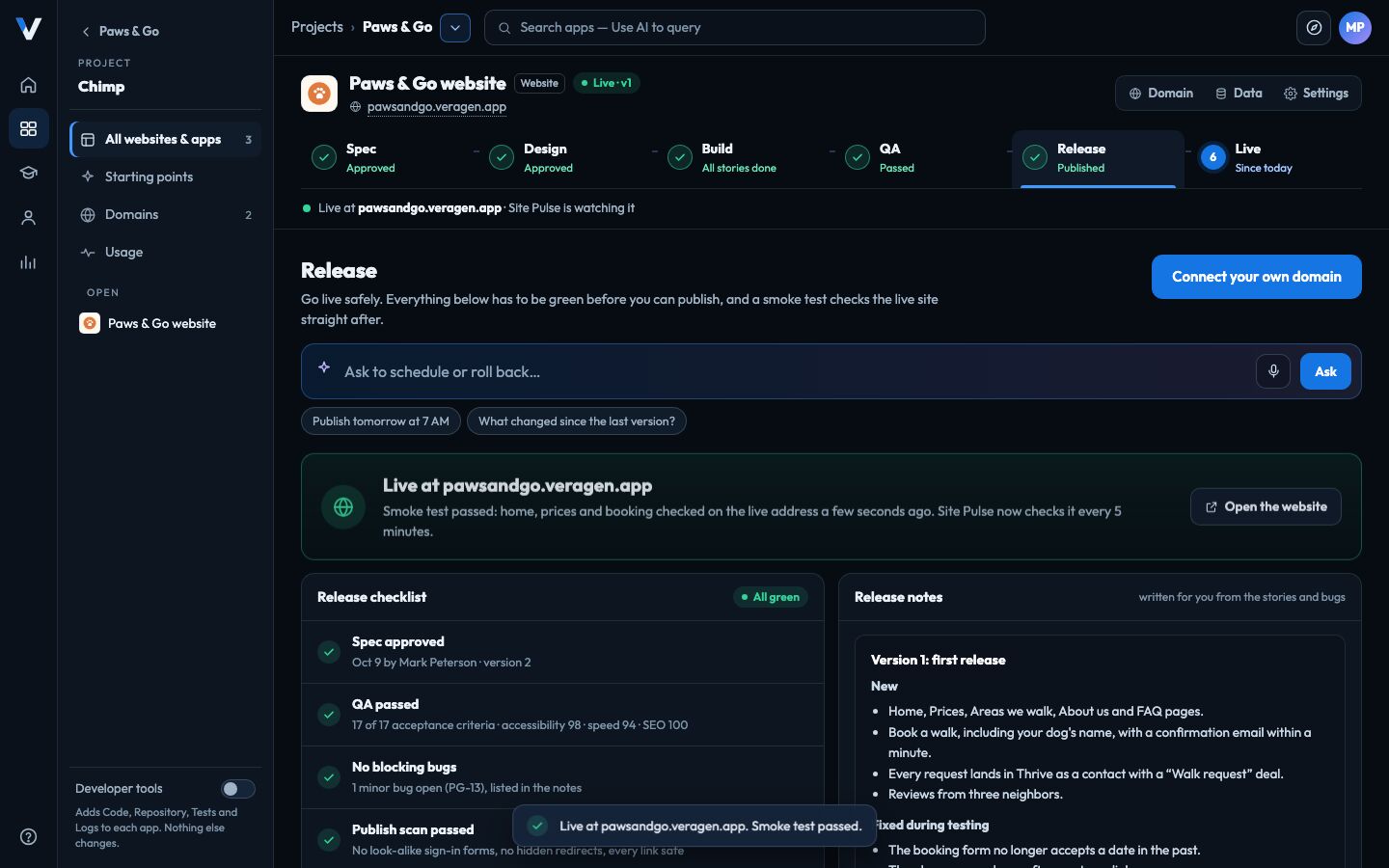
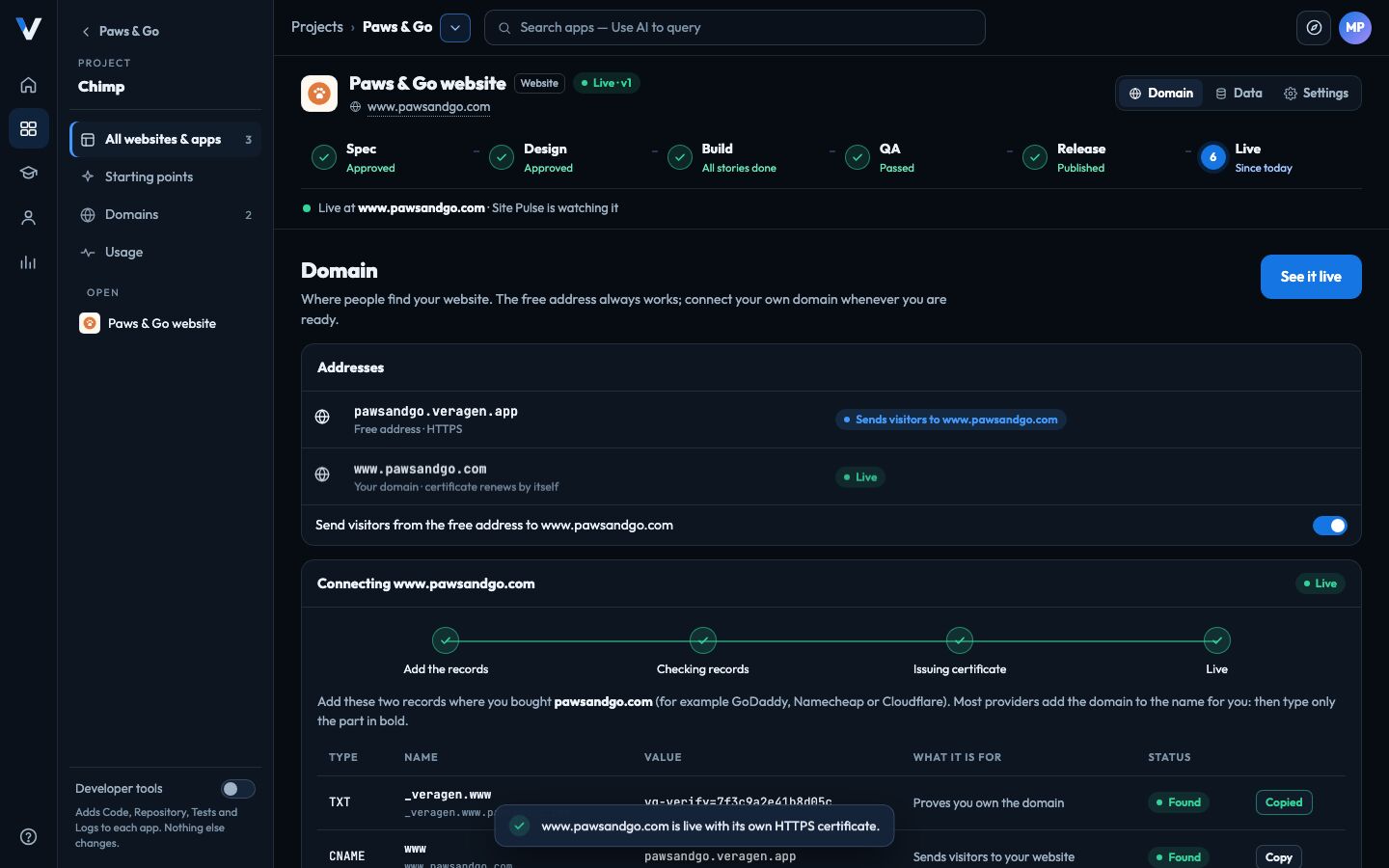
Every website goes live first at a free address. When you’re ready, type your domain and Chimp shows the two records to add where you bought it, with a Copy button and a line saying what each is for. It checks them, and the certificate renews itself.

  • The free address keeps working, and can send visitors on to your domain.
  • Proof you own the domain before anything is attached, so nobody else can claim it.
  • Kept apart from your business data: websites run on their own, separate platform.
Chimp’s Domain page: the free pawsandgo.veragen.app address sending visitors to www.pawsandgo.com, live with its own certificate
The VeraGen app, with a fictional company’s data.

A chatbot on every page, in one click.

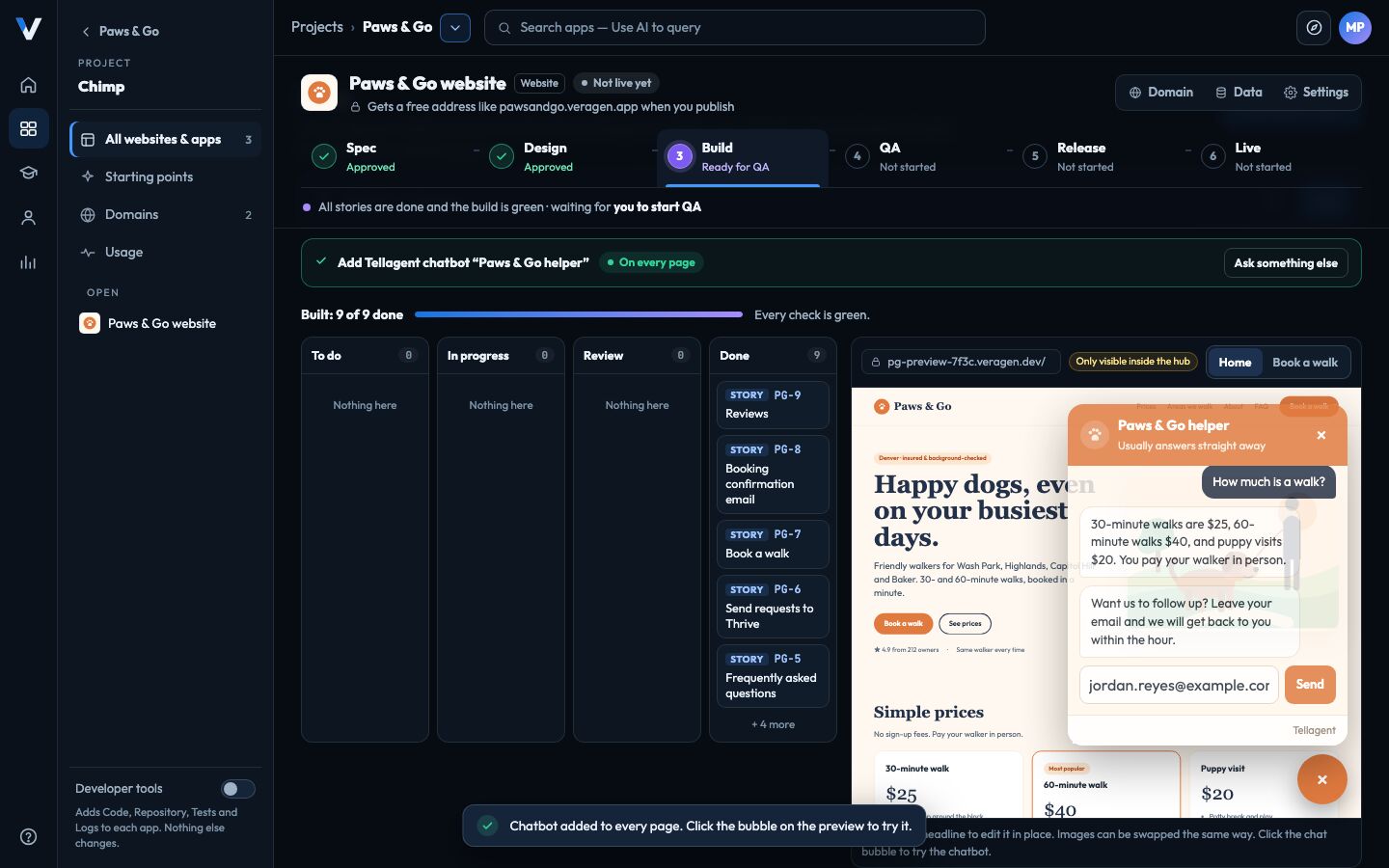
Should visitors be able to chat with you? Pick one of your Tellagent chatbots in the spec, or ask for it any time, and Chimp adds it to every page and checks that it answers.

  • No code to paste. Chimp sets the chatbot up for your site’s addresses.
  • Daily spending limits come from Tellagent, so a busy day can’t surprise you.
  • Forms and sign-ups reach Thrive too, and can start a Tellagent follow-up.
A Tellagent chatbot answering a question about prices on the Paws & Go website preview in Chimp
The VeraGen app, with a fictional company’s data.

Fully documented, with its whole history.

Every piece of AI work is a task in Skunk Works, and Chimp keeps the website’s documentation in Data Management: what it is, how it works, every decision and every release. Ask Odin “why did we change the form?” and it answers from that record.

  • The spec is a living page with every version kept.
  • Stories and bugs on your Skunk Works board, linked to the spec.
  • Release notes written from the work that shipped.

Paws & Go website · Documentation

  • Overview: what it is, who it’s for, its pages
  • Pages and features, with their stories
  • Decision log, each linked to its change
  • Changelog: the notes of every release

Powerful underneath, for whoever wants it.

Most people never need to look under the hood. When someone does, the Developer tools switch adds the code, the repository, the tests and the logs to every app, without changing a thing for anyone else.

  • A standard, modern stack any developer will recognize.
  • Every change is a commit and every release a tag.
  • Bring your own GitHub or GitLab, or move the code there later. No lock-in.

You

Add a page for our puppy training classes.

Chimp

Proposed: a new Puppy classes page with two stories and their acceptance criteria. Accept, and the AI engineer builds it, QA tests it, and it waits for your release.

Instead of hiring a developer or an agency, paying a website builder, and finding someone to test every change, Chimp gives you the whole team inside VeraGen. Its AI work uses your plan’s AI usage, shown as Chimp on your bill.

Fair questions.

Do I need to know how to code?

No. You describe what you want, answer a few questions, and approve each step. The code is there for anyone who wants it, behind the Developer tools switch.

What can I build?

A website with forms, a web app people sign in to, an online store, or a client portal where your customers see their own bookings, files and invoices. You can also start with a design-only prototype and build it later.

Will it make things up about my business?

No. Prices, hours, areas and other facts come only from what you tell it and the pages you choose. When it doesn’t know one, it asks you, and the spec says “please check” until you answer.

Who checks that it works?

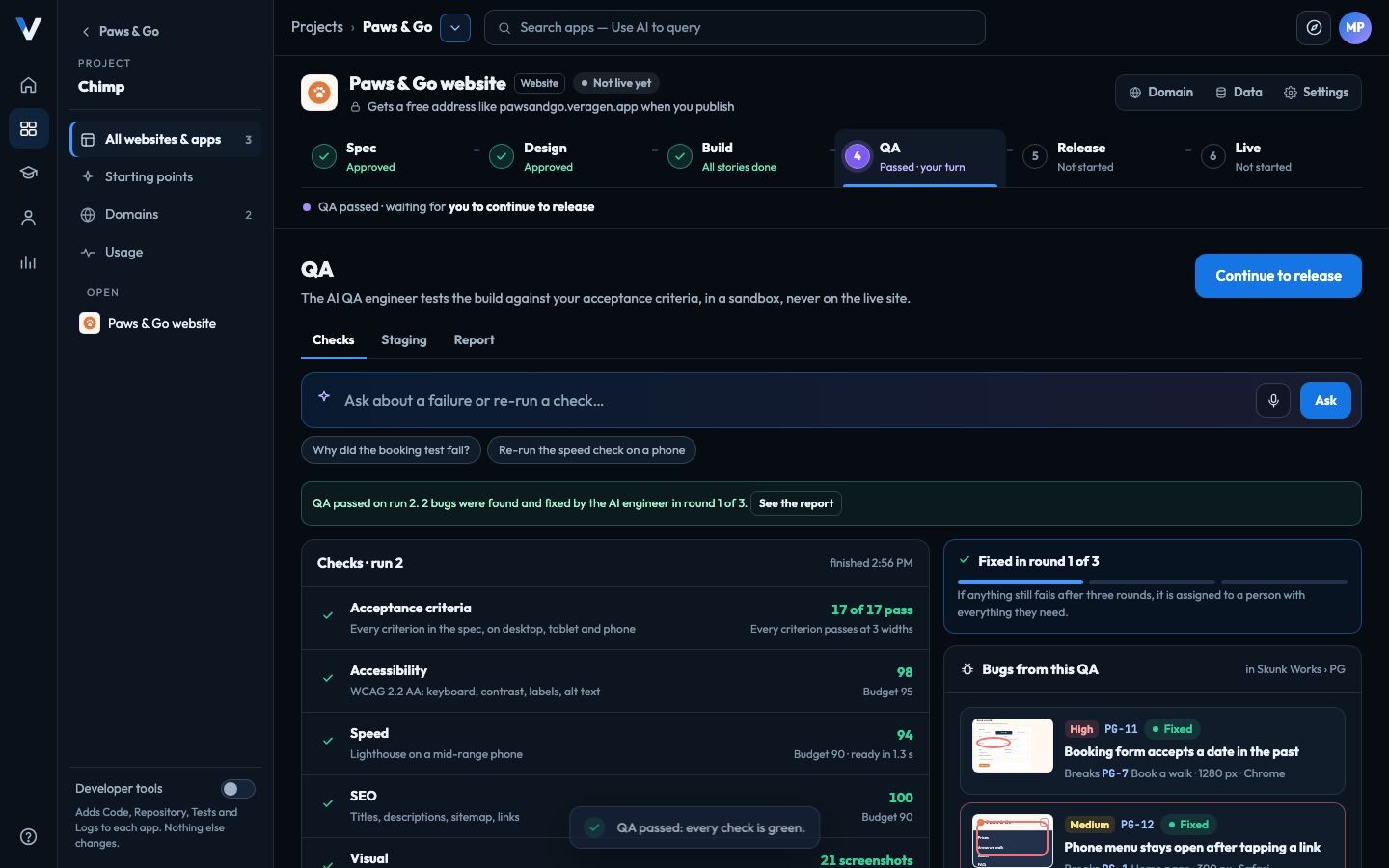
Every acceptance criterion in your spec becomes an automated test, run on desktop, tablet and phone with accessibility, speed, search and security checks. Failures become bugs the AI engineer fixes, and nothing is released until the checklist is green. Your team can test a private staging copy too.

Can I use my own domain?

Yes. Every website starts on a free address such as yourbusiness.veragen.app, and you can connect your own domain by adding two records where you bought it. HTTPS is set up and renewed for you.

Who owns it?

You do. The content and the code are yours, kept in a repository: VeraGen’s by default, or your own GitHub or GitLab. You can move it between them at any time.

Can my website sell things?

That’s what Mercato is for: products, services and bookings, orders, and invoices your customers pay on your own website.

Who on my team can do what?

Everyone who can open the project can see its websites and apps, and everyone but viewers can start one and ask for changes. Publishers, admins and owners approve the spec and the design; admins and owners approve releases, and can narrow that further.

Is it ready?

Chimp is new and arrives in stages, starting with the spec. Your account shows each step as it opens, and a step that isn’t open yet says so rather than pretending. AI work is never charged for a step that isn’t running.
Works together

Build it, sell on it, follow up, keep it running.

Every app shares your files, your brand and your customers, and Odin works across all of them.

Try every app free for 14 days.

One account, every app, and $5 of AI usage to start. Set up in minutes; cancel any time before the trial ends and you pay nothing.