
 2:02
2:02AI Automations Overview
The whole app in two minutes: AI Workflows that research and write, and Automations that follow up when something happens.
Describe the automation you want in plain words, and Odin builds it for you. Check its proposal, open it in the builder as a draft, ask Odin for a change and apply it with one click (or undo it), and see what's left before you publish. Nothing is saved or published until you say so.
Recorded in the real product, using a fictional company, Northwind Labs.
Try it in VeraGen
Every lead, order and booking gets the right email or text at the right time, and AI agents take the chores off your plate.
See AI AutomationsMore in AI Automations
2:02The whole app in two minutes: AI Workflows that research and write, and Automations that follow up when something happens.
 2:00
2:00An email follow-up that runs for every deal by itself: template, trigger, merge fields, a wait, a reminder, test and publish.
 1:58
1:58Write an email once, send it from any automation, wait until it is opened, and see what happened to every email.
 1:39
1:39Let a Stripe payment, a Calendly booking or a Typeform answer start your follow-up, and use your Shopify store’s steps.
 1:58
1:58Chain steps together, from reading your documents to emailing the result, and run them now or on a schedule.
 1:36
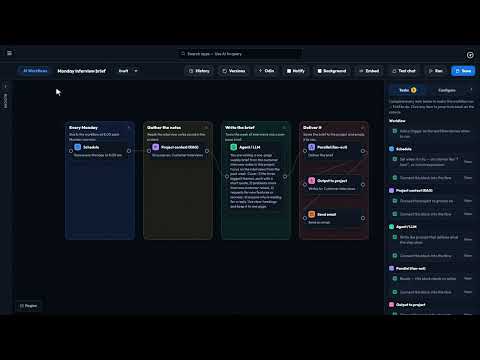
1:36Describe a routine job to Odin and it builds the workflow as a draft. Check it, switch it on, and it runs every week.
 3:41
3:41Loop blocks keep an AI step working until it meets your standard, instead of handing on its first draft.
 1:47
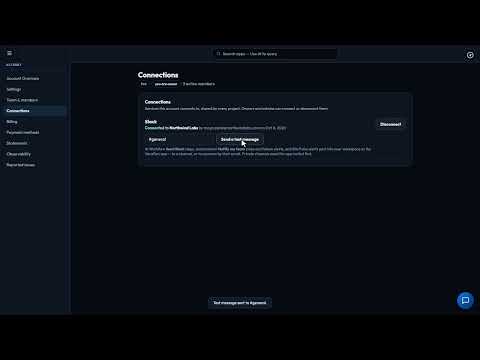
1:47Connect Slack once, and Site Pulse alerts, AI Workflow results and automation notifications post to your team’s channels.
 1:41
1:41Checks your pages and sign-up forms on a schedule, the way a customer would, and emails you when something breaks.
One account, every app, and $5 of AI usage to start. Set up in minutes; cancel any time before the trial ends and you pay nothing.