Beacon
What Beacon does
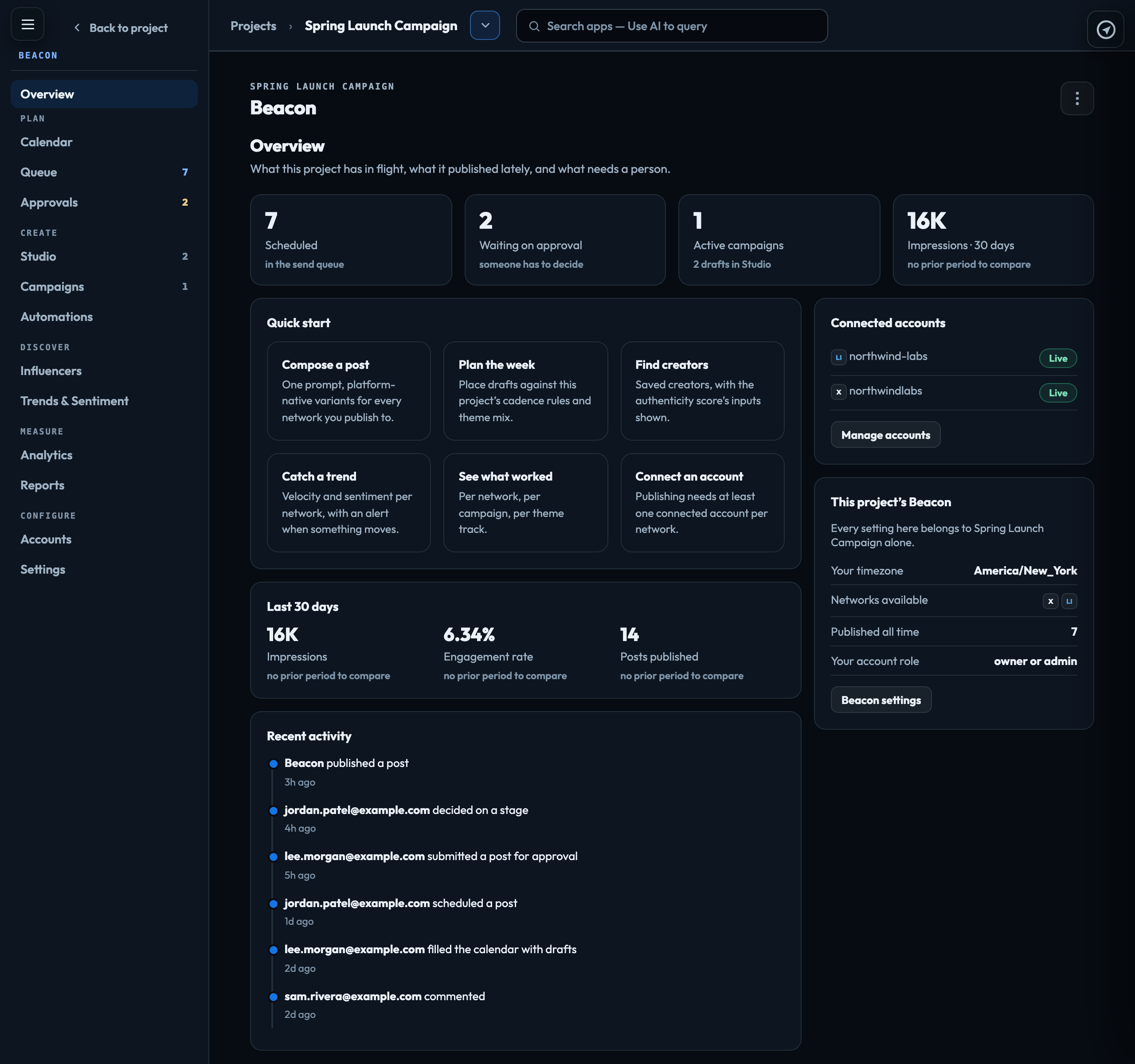
Beacon plans, writes, approves, publishes and measures a project’s social posts. Open a project and choose Beacon from the search box at the top. There is nothing to switch on first: the first time a project opens it, Beacon is ready.
Beacon is marked Beta.
One Beacon per project
Every connected account, brand voice, banned phrase, disclaimer, approval chain, calendar and audit log belongs to the project you are in. Another project in the same account has its own, and neither can see the other’s. An agency runs one project per client, and one client’s disclaimer never lands on another client’s post.
If a handle you connected is missing, check which project you are in.
The sections
| Overview | What is scheduled, waiting on approval, in draft or failed; the accounts connected; and recent activity. |
|---|---|
| Plan | Calendar, Queue and Approvals — the work already committed. |
| Create | Studio, where posts are written; Campaigns, which group posts under dates and a goal; and Automations, which post by themselves when a source changes. |
| Discover | Influencers and Trends & Sentiment. |
| Measure | Analytics and Reports. |
| Configure | Accounts, the network handles this project publishes from, and Settings. |
The path a post takes
- Write it in Studio. A post has one editorial copy plus one version per network, and each network’s version is what is sent.
- Submit for approval. With no approval chain set up, submitting approves it.
- Schedule it, or an owner or admin presses Publish now.
- It waits in the Queue until it sends.
- Its numbers arrive in Analytics, and replies to it appear on the post once Echo captures them.
Who can do what
Anyone who can reach the project can read Beacon, write and edit drafts, comment, submit, schedule, run campaigns and change most settings. Publishing now, retrying a failed send, connecting or disconnecting a network account, storing its app credentials, changing the compliance settings and running automations need an account owner or admin. Settings → Who can do what shows the whole list against your own role.
Signed in to VeraGen? Press Guide me on any screen for a walkthrough, or ask Odin.