Thrive CRM
The calendar
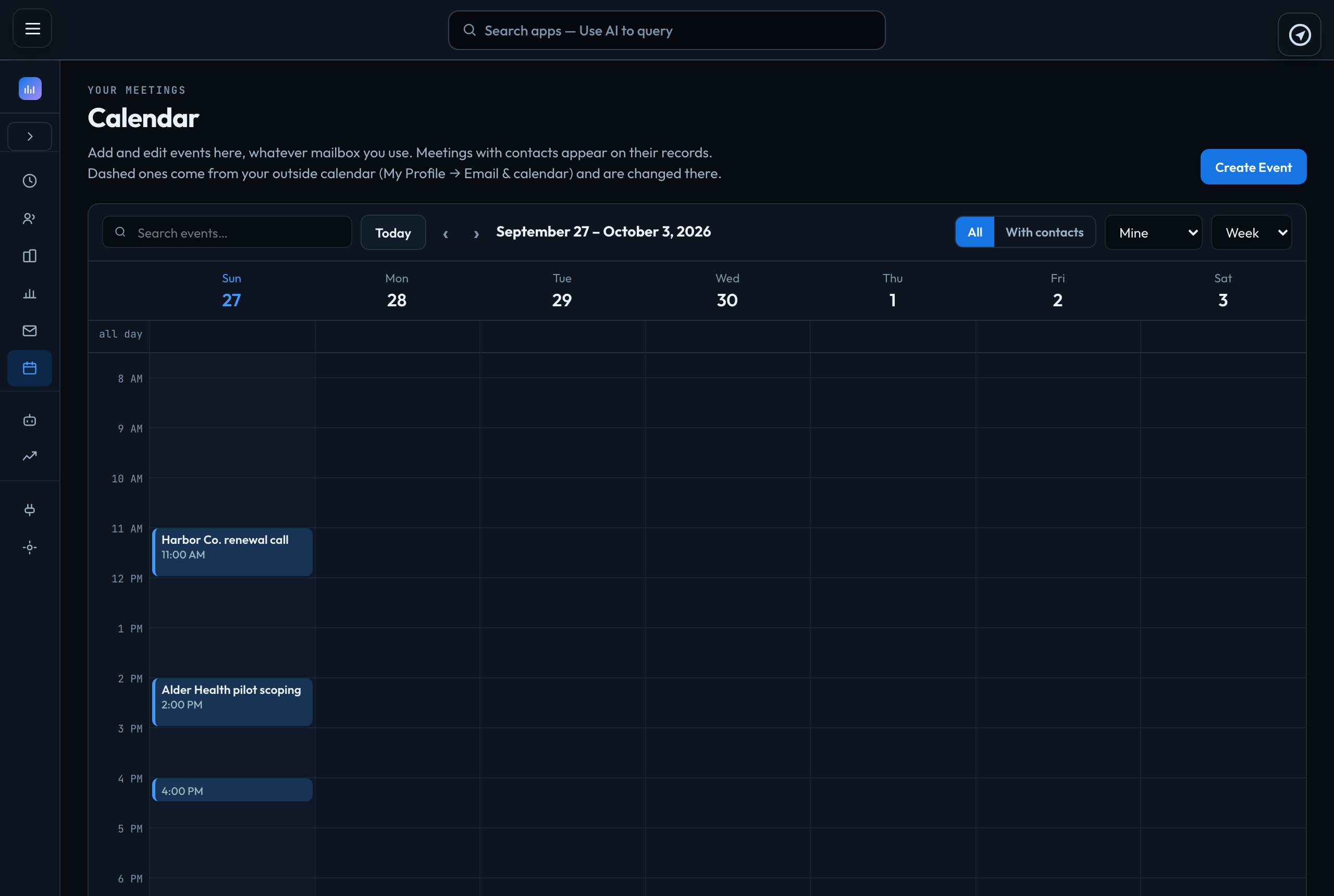
Thrive → Calendar is Thrive's own calendar: add and edit events here, whatever email you use.
Events
- Create Event, or click an empty time in Day or Week view, to add one. Today and ‹ › move through time; Month shows six weeks.
- An event has a title, a start and end, a Time zone — the times you type are read in it, so 10:00 New York stays 10:00 New York wherever you are — All day, Repeat (every day, week or month, optionally Until a date), a location or link, and a description. A repeating event keeps its local time when the clocks change.
- Guests are your contacts or your teammates. A meeting with a contact appears on their record under Meetings and in their activity. With contacts shows only those events. Thrive does not email invitations to guests.
- You see your own events and the ones you are invited to. Only the person who created an event, or an account owner or admin, can change or delete it; owners and admins can also switch the view to Everyone.
- On a contact, Meeting opens a new event with them already a guest. Thrive's Today page lists today's meetings.
The calendar shows times in your browser's time zone.
Your Google, Outlook or iCloud calendar
My Profile → Email & calendar → Your calendar brings your own calendar's events into Thrive's.
- If your Gmail is connected with Sign in with Google, press Use my Google calendar — no link needed. If it says your sign-in does not include your calendar, press Sign in with Google again under Email and leave the calendar box ticked on Google's screen.
- If your Gmail is connected with an app password, press Switch to Sign in with Google in the mailbox section first, then Use my Google calendar.
- Otherwise, paste your calendar's private iCal link. The page says where Google, Outlook and iCloud keep it. Treat the link like a password; Thrive keeps it in a secure store and never shows it again.
Those events are drawn with a dashed outline. They are read-only in Thrive — change them in your own calendar — and refresh every 15 minutes, from 30 days back to 4 months ahead. A meeting with one of your contacts also shows on their record under Meetings. Only you see them. Thrive reads titles, times, places and who is invited, and never the description.
Disconnect forgets the link and removes those events from Thrive. Your calendar itself is not touched.
If something goes wrong
| Google does not show "Secret address in iCal format" | Your organisation does not allow sharing outside it. Use Sign in with Google, or open Access permissions for events on that calendar, tick Make available to public ("See only free/busy" is enough) and copy Public address in iCal format. |
|---|---|
| A calendar feed ends in .ics | You pasted a web page address — the "Public URL to this calendar" or the embed code. Copy the iCal address instead. |
Signed in to VeraGen? Press Guide me on any screen for a walkthrough, or ask Odin.