Crawls
Collecting from the web
Crawls brings material from a web page into a project: the page's text, or the documents it links to. Open a project and choose Crawls from the search box at the top.
Create one
- Click ✚ New crawl.
- Enter the Website URL, and a Name if you want one.
- Under What to collect, choose Page data for the page's text, or Documents on the page to download the files it links to.
- For documents, choose a folder under Save documents to.
- Click Save & run, or Save to run it later.
A crawl runs only when you click Run crawl (or Run again); there is no schedule. Each run replaces what the last one collected. Creating, running and deleting crawls needs the owner, admin or publisher role.
Two kinds
| Page data | Keeps the page's text so you can ask questions about it. |
|---|---|
| Documents on the page | Downloads the PDF, Word, Excel, PowerPoint, CSV, text and RTF files the page links to: up to 12 a run, skipping any over 20 MB. |
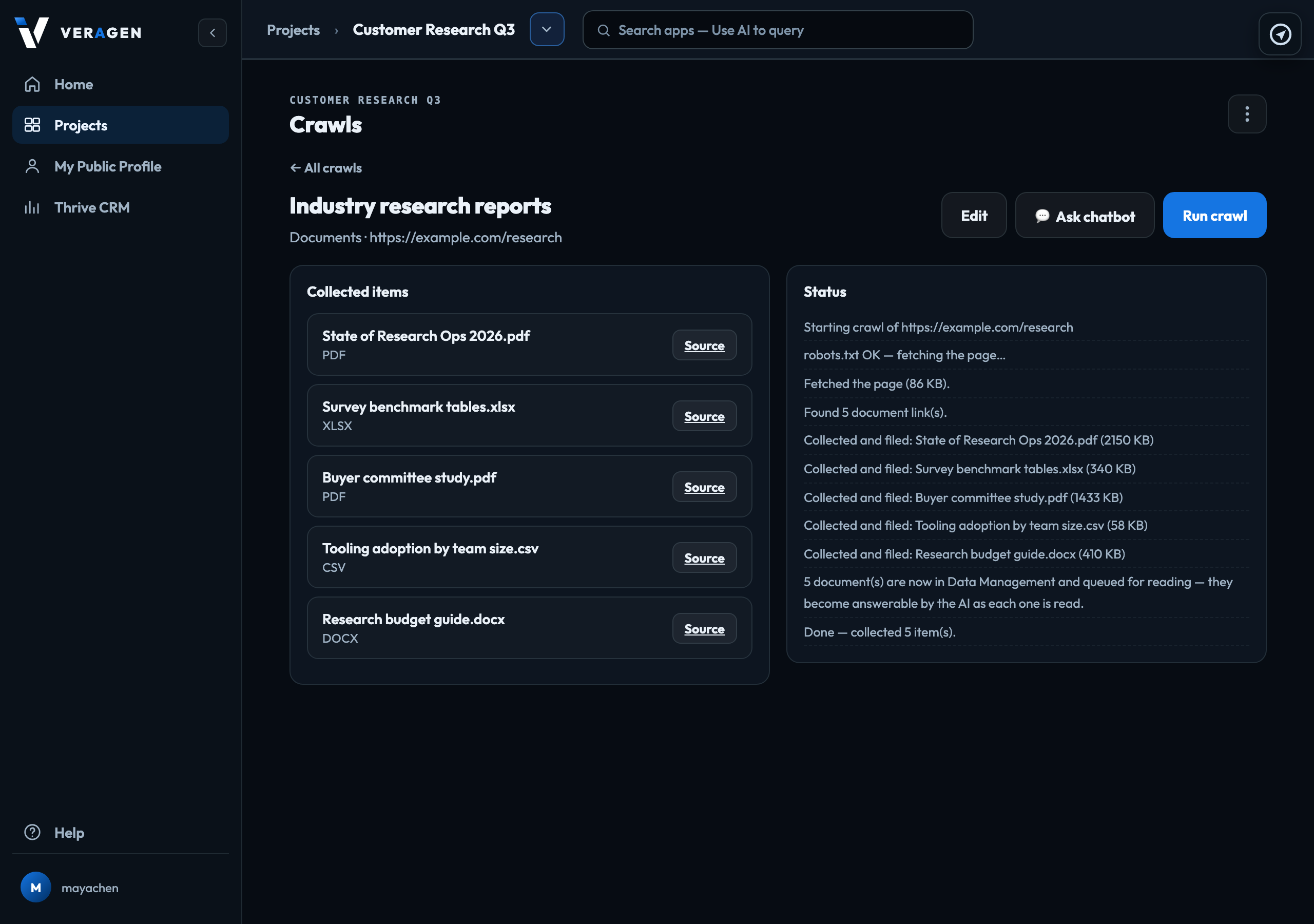
Where the documents go
Into the project's Data Management, in the folder you chose. Save documents to shows the project's folder tree: pick any folder, or the top level. The line under it names your choice by its full path, and + New folder creates one inside it. Each document is read like an upload, so Chat & Research and Odin can answer from it. What the AI can read
A file already in that folder under the same name is left as it is, and the run says so: delete it and run again to replace it. A run stops early if the account's storage is full.
Delete a crawl
Open the crawl's ⋮ menu and choose Delete. The crawl, its run log and its list of results are removed:
- Documents on the page: the documents it filed stay in Data Management. Delete them there if you no longer want them.
- Page data: the page text it collected is kept only on the crawl, so it is removed too.
It respects the site
The site's robots.txt is checked first, and a page it disallows is not read. If a site blocks a plain fetch, the crawl reads it with a headless browser and says so in Status. That costs a small amount, shown in your usage as Crawls — reading a blocked page with a headless browser.
Ask about what it found
💬 Ask chatbot answers only from that crawl's material: the page text, or up to 10 of its documents of up to about 4.5 MB each. PowerPoint and RTF files are not included there; ask about those in Chat & Research. Answers use AI credit, shown in your usage as Asking a crawl.
Signed in to VeraGen? Press Guide me on any screen for a walkthrough, or ask Odin.