Echo
What Echo is
Echo captures what people post on X about the accounts you watch — mentions, replies and quotes — sorts it into topics and sentiment, and joins it to the Beacon posts that caused it. Open a project and choose Echo from the search box at the top.
Echo reads; it never posts, replies or contacts anyone. Every post it shows carries its author, its unchanged text, a time, and View on X. Echo is per project: its sources, budget and captured posts belong to the project you are in. Echo is marked Beta.
Watching a handle
- Set a monthly read cap under Budget & settings first — see What Echo costs.
- Open Sources, type any public X handle (yours, a client’s or a competitor’s) or a link to the profile.
- Choose How far back: From now on — no history, or up to 7 days of recent posts, priced before you add it. X keeps only 7 days, so older posts cannot be fetched.
- Press Add source. Echo checks that the handle exists before saving it.
Adding a source is typing a handle: there is no X account to connect and no X developer account needed, and the account you watch does not need to know or approve. Each source captures mentions and replies to begin with; you can turn mentions, replies and quotes on or off per source, and each change saves at once because each costs money. A quote that mentions nobody cannot be found, because X offers no way to search for quotes of an account.
If Echo says it is not connected to X yet, or that X refused VeraGen's connection, that is VeraGen's side to fix, not a setting in your account: contact VeraGen support (hello@veragen.ai).
What each screen answers
| Overview | What is being watched, what it has cost this month, and what needs you. |
|---|---|
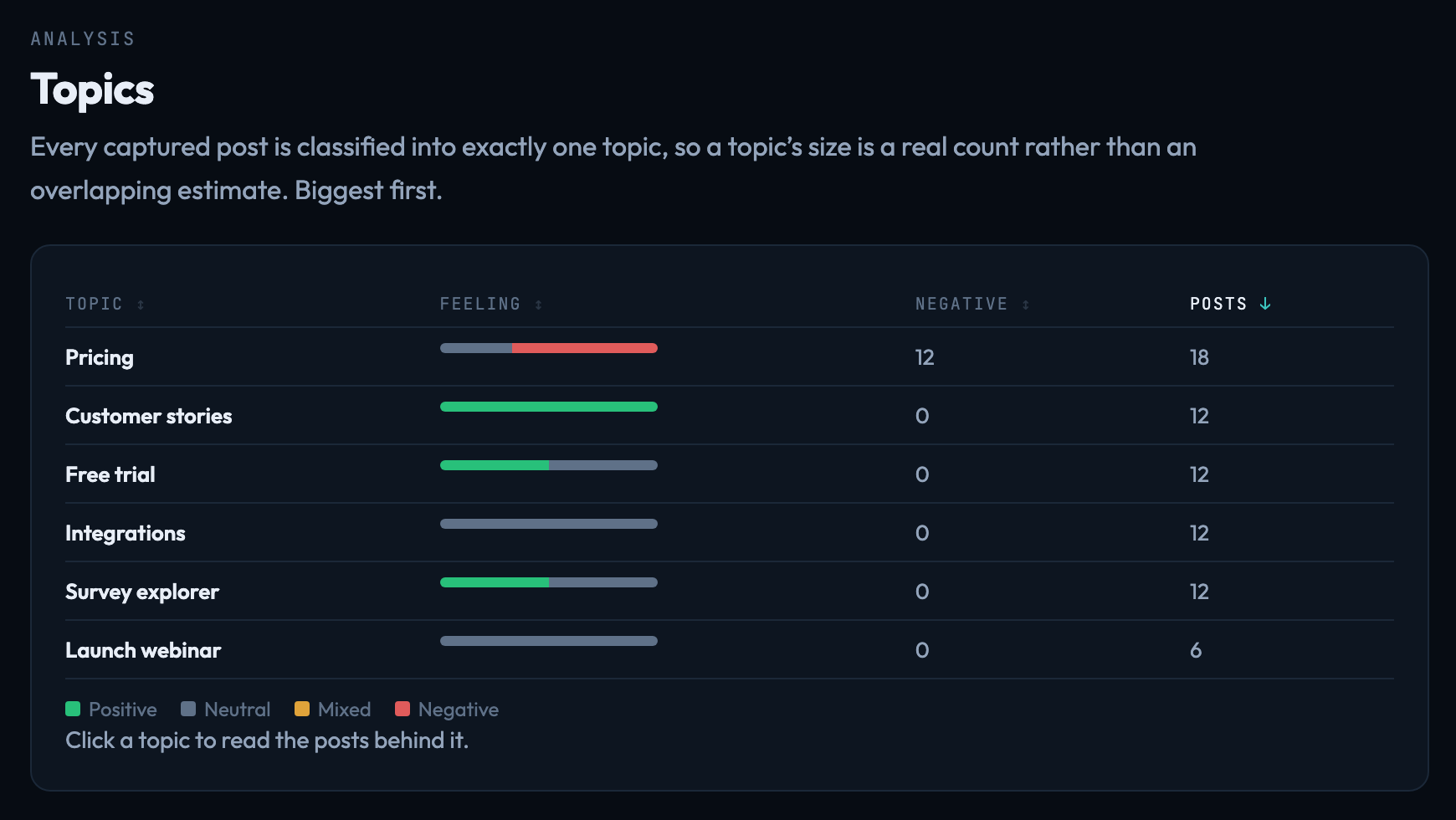
| Topics | Every captured post is placed in one topic, biggest first. Click a topic to read the posts behind it. |
| Sentiment | Feeling split by topic, rather than one blended score. |
| Voices | Who keeps coming up, how far they reach, and how they lean. |
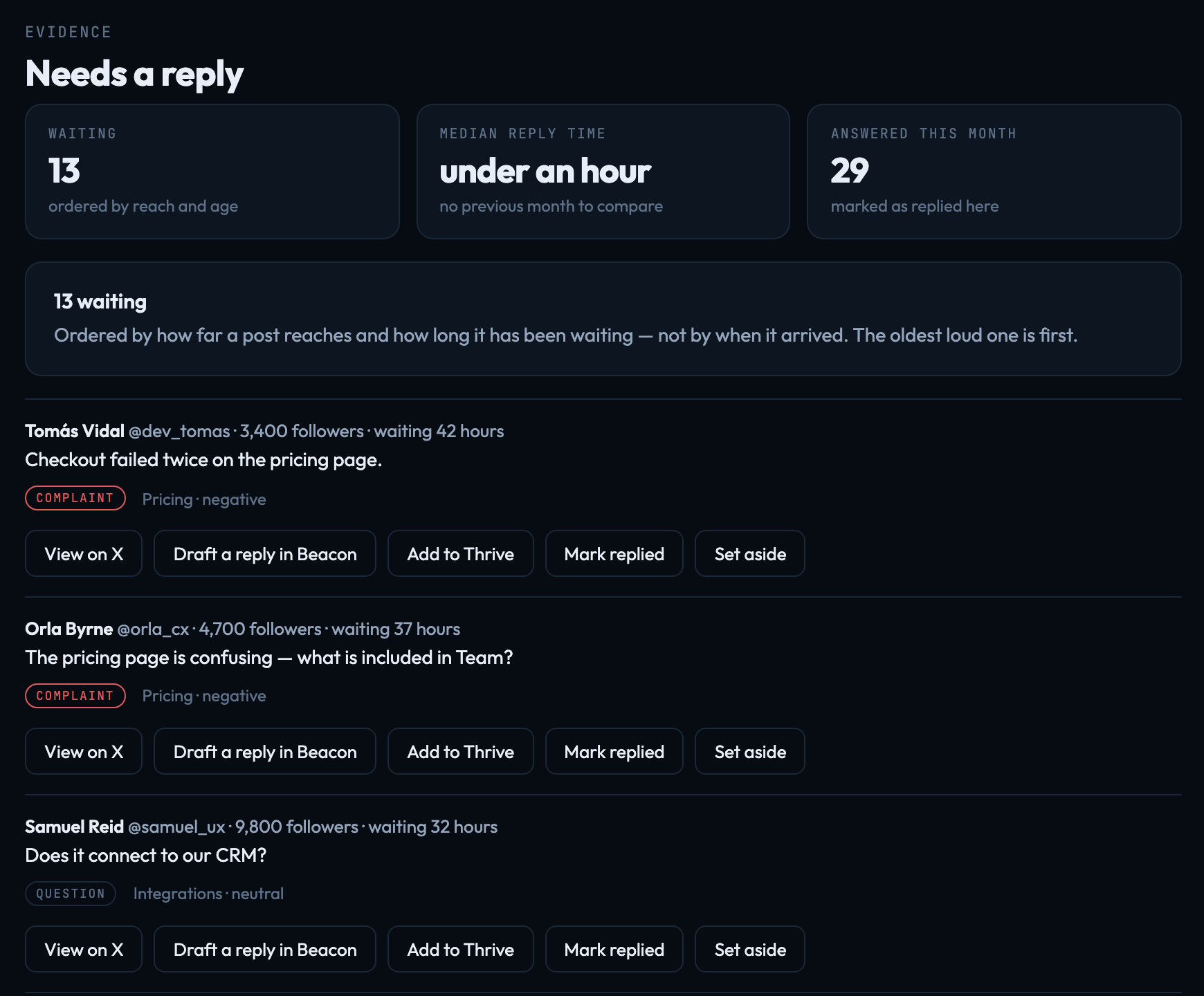
| Needs a reply | Questions and complaints nobody has answered, ordered by reach and how long they have waited. |
| Conversations | Every captured post, filterable by kind, feeling and campaign. |
| Campaigns | What came back, grouped by the Beacon campaign that caused it. |
Tables sort by any column. Sorting posts into topics and sentiment uses AI credit, shown in your usage as Echo — finding topics and sentiment.
Needs a reply
Each row offers View on X, Draft a reply in Beacon, Add to Thrive, Mark replied and Set aside. Only Mark replied counts toward the Median reply time, shown against last month’s.
Draft a reply in Beacon opens a Beacon draft for X addressed to that person. When it is published, it goes out as a reply to their post, threaded under it. It still goes through the project's approvals like any other post.
Saved views, and sharing one
On Conversations, Save this filter… keeps the current filter under a name. An owner or admin can Share read-only…, which makes a link anyone can open without signing in — treat it as public. It always shows the current posts, can be given an expiry in days, and stops working the moment sharing is turned off. Turning sharing back on makes a different link; the old one never works again.
Deleted posts and removed sources
Echo holds a lease on what it captures, not a permanent copy. It re-checks every captured post with X within 24 hours, and a post deleted or hidden on X disappears from Echo at its next check. Removing a source stops capture and deletes everything captured from it. X’s developer agreement requires both. Re-checks cost reads and count against the monthly read cap, but they carry on when the cap is reached — X requires it. Only capture stops.
Signed in to VeraGen? Press Guide me on any screen for a walkthrough, or ask Odin.