Beacon
Accounts, analytics & reports
Connected accounts
Configure → Accounts lists the network handles this project publishes from. A project can hold more than one account on a network — a brand handle and a founder handle — and each post picks which one it goes out from.
To connect one, an owner or admin presses Connect an account and approves on the network. If the project has no app credentials for that network yet, Beacon asks for them first: store the app’s Client id and Client secret with App credentials, then connect. For X, Connecting an X account walks through the app setup.
Each connection shows its follower count, when it was connected, when its access expires, the permissions granted and when it last synced. Sync refreshes the profile and follower count. A connection that stops working shows Reconnect, and a banner appears on every Beacon section, because posts scheduled to it will fail preflight until it is fixed.
Disconnect revokes Beacon’s access at the network where the network allows it, always deletes Beacon’s own copy, and leaves published posts where they are. When a network does not accept the revoke, Beacon says so — revoke it in the network’s own settings as well.
Analytics
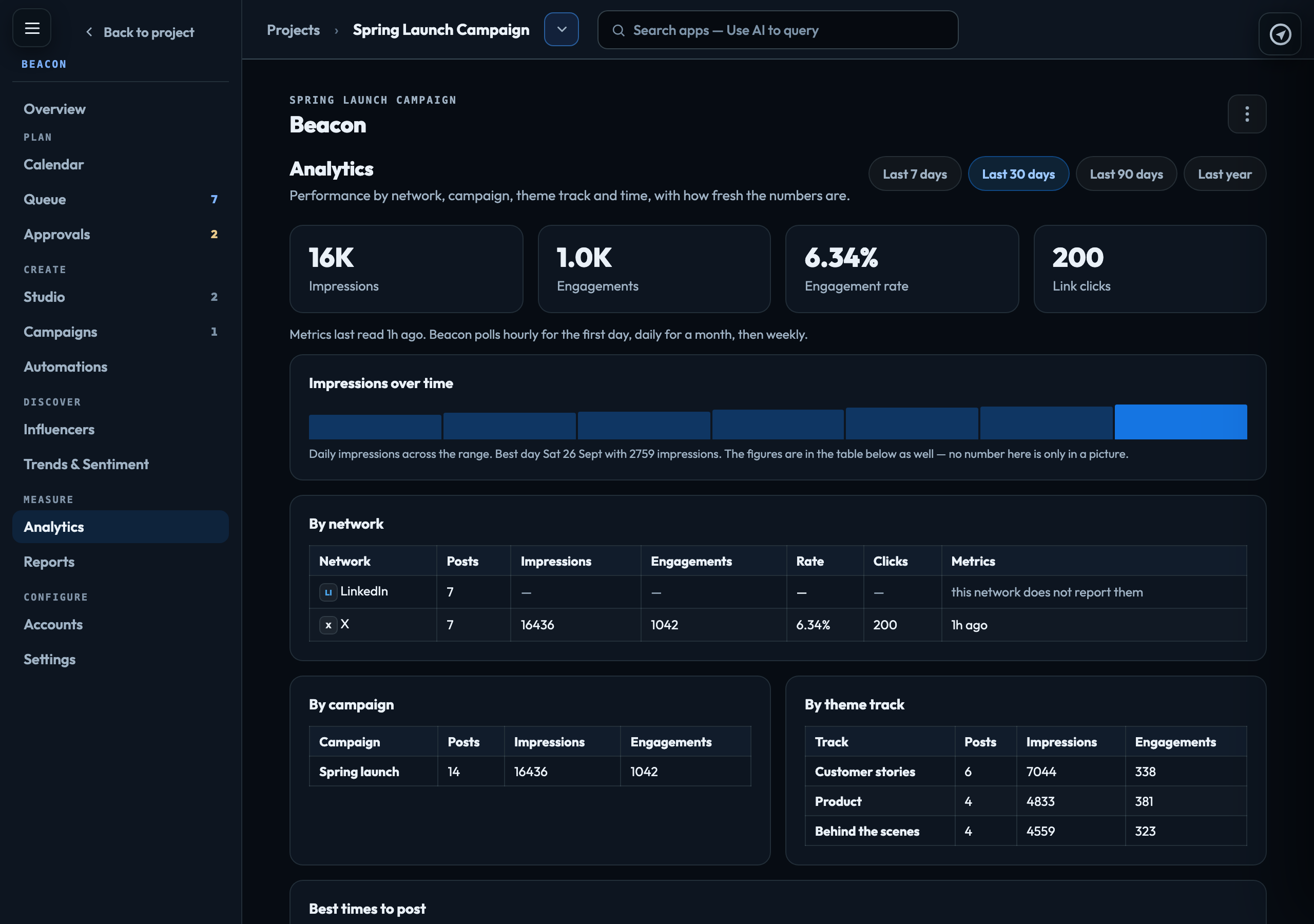
Analytics shows impressions, engagements and engagement rate — and link clicks where a network reports them — by network, campaign, theme track and time, taken from the networks’ own figures and labelled with how fresh they are. X reports per-post figures. LinkedIn does not report them for personal accounts, so those cells show a dash rather than 0.
Reports
New report saves a report from one of three templates:
| Performance | One row per network per post, with its figures. |
|---|---|
| Campaign wrap | One row per campaign, totalled across its posts. |
| Executive summary | One row per network, plus a total. |
Each saved report can be changed with Edit (name, template and date range), produced with Run, and downloaded with Download CSV.
Influencers and Trends
Finding creators and collecting trending terms need a data provider, and none is connected, so Find creators and Refresh now are greyed out and Trends & Sentiment stays empty. Beacon does not make figures up to fill the gap.
Add a creator still works: save someone you already know with their network, handle, topics, tier, status and notes, and Export creators (CSV). A follower count you leave blank stays blank.
The audit log
Settings → Audit log records every Beacon action on this project — who did it and when — filterable by kind and readable by anyone who can reach the project. Entries and post figures are kept for the number of days set on Settings → Compliance (730 unless changed); published posts are kept regardless.
Signed in to VeraGen? Press Guide me on any screen for a walkthrough, or ask Odin.