Public profile
What a visitor sees
Your public page has three columns.
| Left | The places — Home, Projects, Videos, Visualizations, Datasets, Documents and Learn (published courses and Quick Quizzes) — each with how many published items it holds. |
|---|---|
| Middle | Your header, then whichever place is open. Home shows counts for each place and a list of what is new. |
| Right | Other profiles people are reading. |
A published project
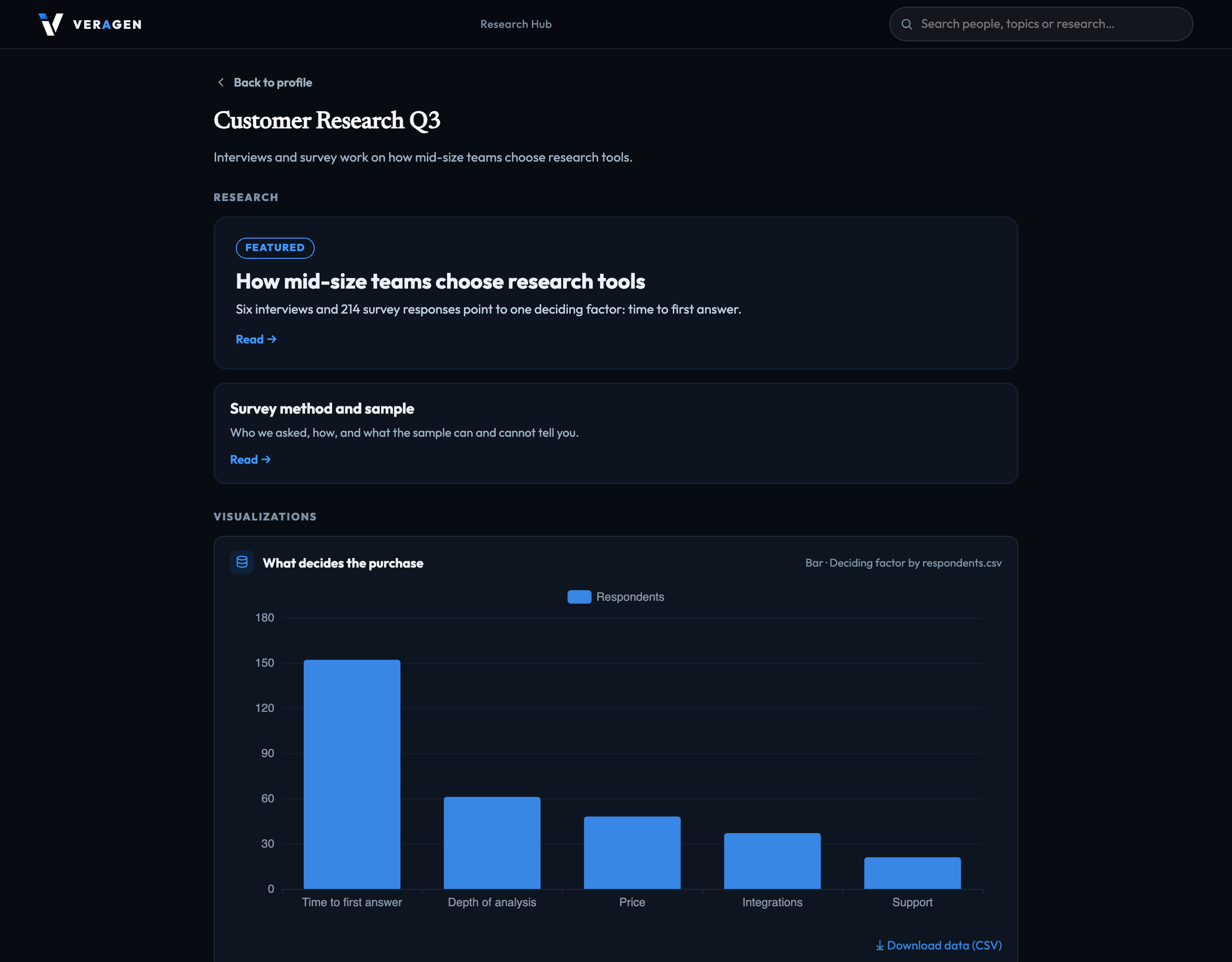
A visitor who opens a project sees its charts, datasets and documents. Charts are interactive, and a chart's data can be downloaded as CSV. Documents and datasets include the files published from the project's Data Management: a PDF, image or recording opens in place, with a download beside it.
Published but not appearing? Your profile must be public, the item's project published and not archived, and the item itself published. If any one is off, the item is hidden. Choosing what is public
Signed in to VeraGen? Press Guide me on any screen for a walkthrough, or ask Odin.