Thrive CRM
What Thrive is
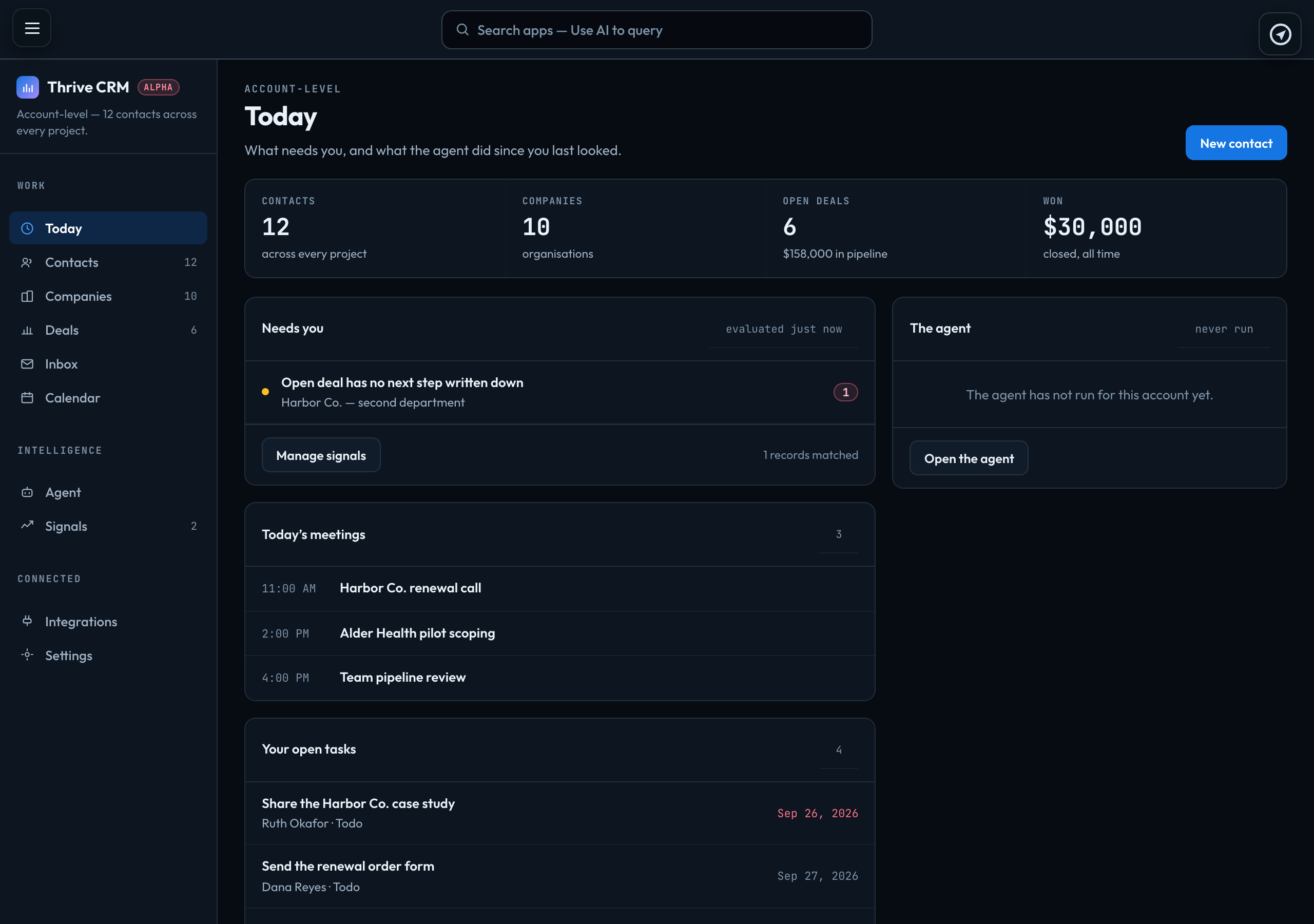
Thrive is your account's CRM: the contacts, companies and deals behind your work, your email with them and your meetings. Open it with Thrive CRM in the rail, below My Public Profile.
One record per person, across every project
Thrive is account-level. Beacon, Ascend, Data Management and the rest belong to one project; Thrive spans them all, because a relationship does not belong to a project. The same person can be a lead on one project and a customer on another, and stays one contact — linked to both projects, not copied into each.
Records are private to their owner
You see the contacts, companies and deals you own and the ones a colleague has shared with you. Account owners and admins see every record, including unassigned ones. Anything you create is yours until you share it. Owners and sharing
The menu
| Today | What needs you: counts of your contacts, companies and deals, the records your signal rules have matched, today's meetings, your open tasks and the records you touched last. |
|---|---|
| Contacts, Companies | Your records, as tables. Contacts and companies |
| Deals | The pipeline board. Deals, stages and outcomes |
| Inbox | Your own mailbox. Your mailbox and the Inbox |
| Calendar | Thrive's calendar, beside your own. The calendar |
| Agent, Signals | What needs attention. The agent and signals |
| Integrations | What Thrive is connected to, and whether each connection is working. |
| Settings | Who can see what, and your role. |
On the Inbox, the Calendar and a contact or company, the menu starts folded to icons to give the page room. The button at the top of the menu opens it again, until you leave that page.
Signed in to VeraGen? Press Guide me on any screen for a walkthrough, or ask Odin.