Uptime QA
What is Uptime QA
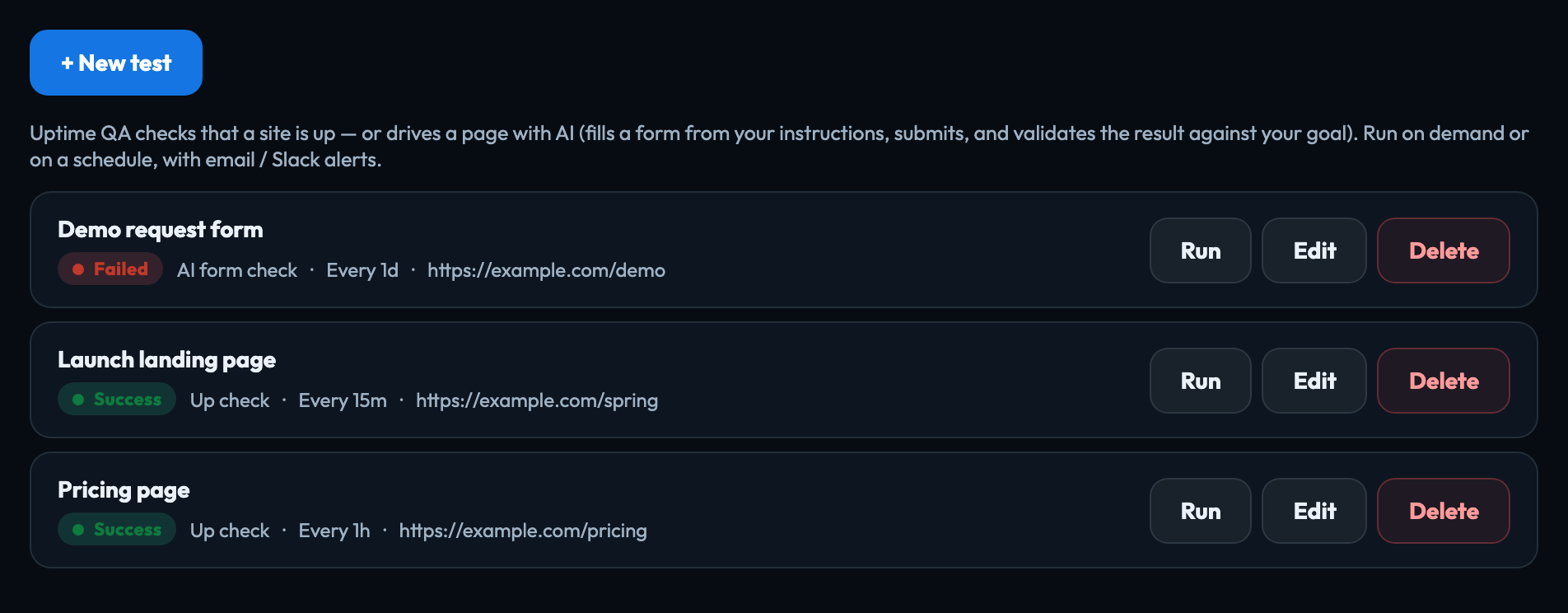
Uptime QA checks that a site keeps working: not only that the page loads, but that a real task on it still succeeds. Open a project and choose Uptime QA from the search box at the top.
Each test checks one URL, in one of two ways:
| Simple up check | Fetches the page and confirms it answers with the status you expect (any success, unless you name a code) and, if you ask, contains some text you expect. It takes a few seconds. |
|---|---|
| AI form check | An AI agent opens the page in a real browser, fills in a form from your instructions, submits it, and then judges whether the result meets your goal. It catches a quote form that loads but no longer returns a quote. A check can take a few minutes. |
Run a test whenever you like with Run, or put it on a schedule and be alerted by email or Slack when something breaks. Every run is kept in the test's history, and an AI form check keeps a screenshot of the page it judged. Setting up a test
Who can do what
Anyone who can open the project can see its tests and their history. Creating, editing, running and deleting tests needs the owner, admin or publisher role.
What it costs
Uptime QA uses AI credit in two places, shown in your usage as:
| Uptime QA — the judge | The AI's verdict on each AI form check. |
|---|---|
| Uptime QA — reading a blocked page with a headless browser | A simple up check on a site that blocks a plain fetch. |
When the account is out of credit, scheduled AI form checks wait and carry on once credit is added; the person who created the test is emailed. Simple up checks keep running.
Signed in to VeraGen? Press Guide me on any screen for a walkthrough, or ask Odin.