Billing & credit
Billing and adding credit
Account → Billing shows your balance, this month's usage, what the month has cost by person and by app, and every change to the balance. You need billing access to open it. Who can see and manage billing
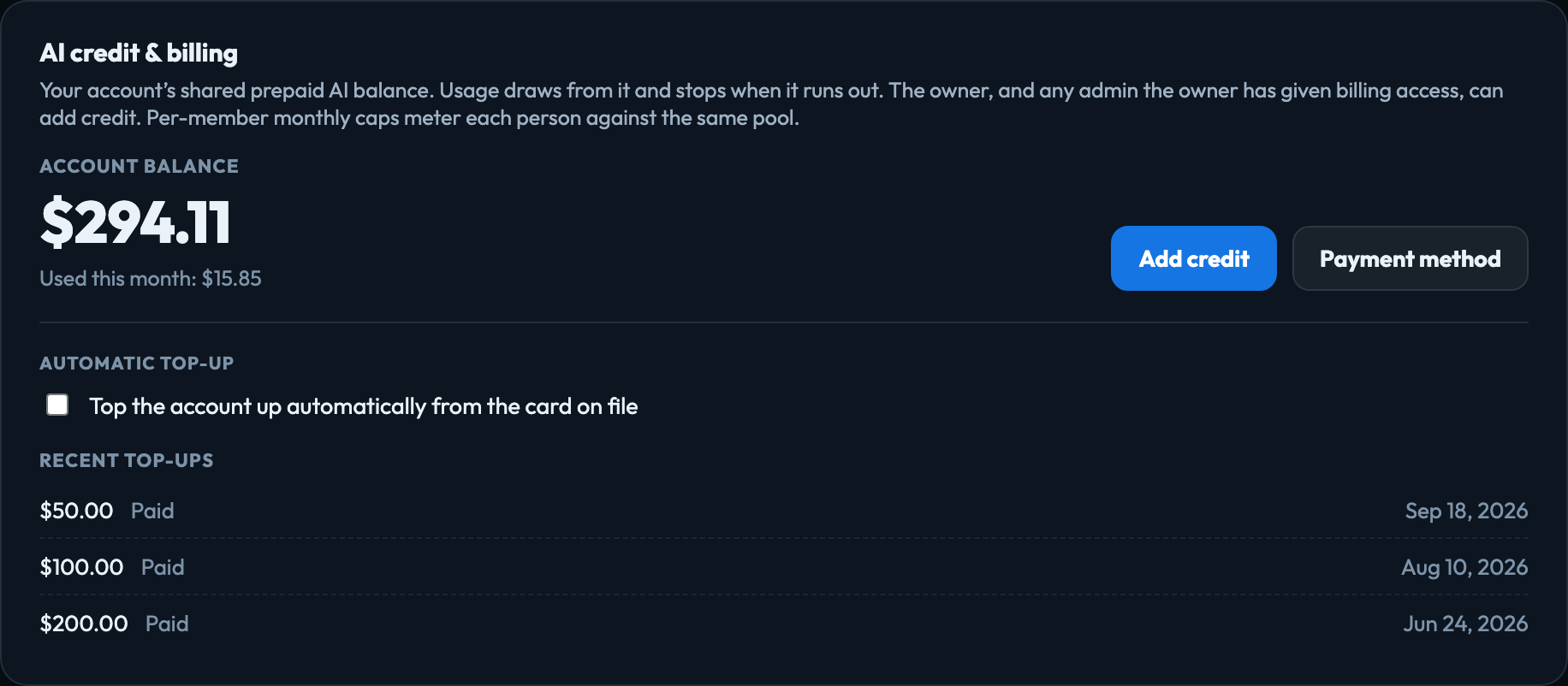
Add credit
- Click Add credit and choose an amount.
- Pay by card on Stripe's secure checkout page.
- You return to Billing, and the balance updates within a few seconds.
Payment method, beside Add credit, opens Payment methods, where you save cards, choose the default, or remove one.
Automatic top-up
Under the balance, tick Top the account up automatically from the card on file, then set the balance that should trigger it and how much to add. When the balance falls that low, the amount is charged to your default card.
- It needs a saved card — add credit once, or save a card in Payment methods.
- The trigger must be lower than the amount added.
- If a charge fails, Billing shows the card issuer's reason. An expired card is the usual cause.
Payment methods
Account → Payment methods lists every saved card with its brand, last four digits and expiry, and marks the default — the card automatic top-up charges. An expired card is flagged.
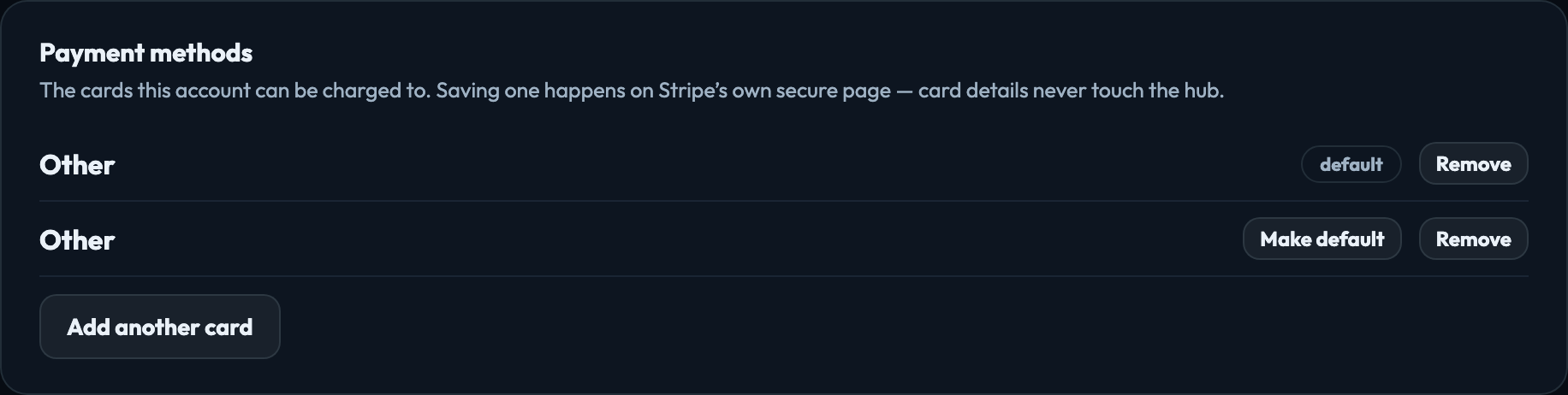
- Save a card opens Stripe's secure page; card details never touch the hub.
- Make default chooses which card automatic top-up charges.
- The last card cannot be removed while automatic top-up is on. Turn it off first, or add another card.
What it cost
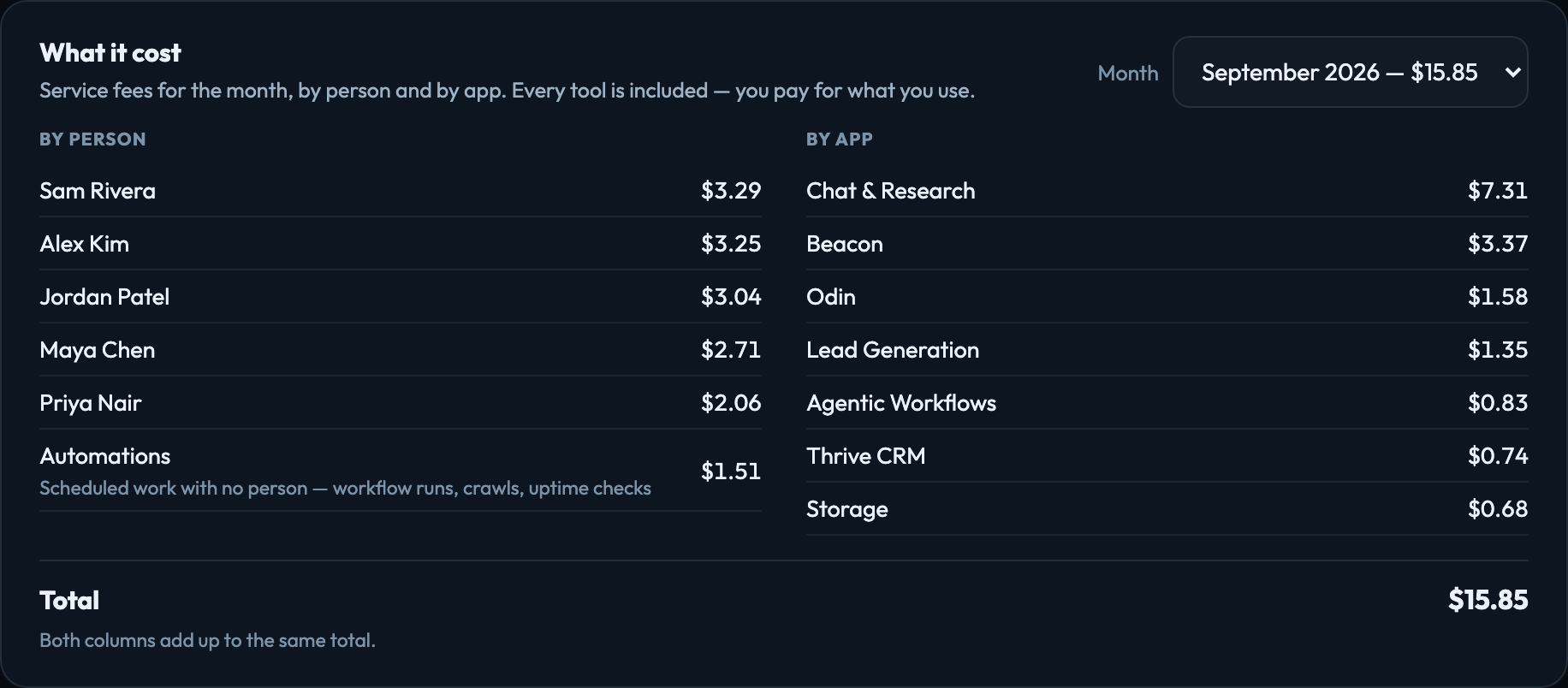
The month's charges by person and by app, side by side, with a month picker for earlier months. Both columns come from the same charges and add up to the same total. People who have left the account still appear, marked as such. Scheduled work that nobody started by hand — a workflow on a timer, a news crawl, an uptime check — is grouped as Automations.
Account activity
Every change to the balance, newest first, with a running balance: card payments, automatic top-ups, credit from VeraGen, refunds and usage. While a persona simulation runs you will also see its estimated cost set aside, and returned when it finishes — a simulation reserves its estimate so the same balance cannot be spent twice. A People data search in Lead Generation does the same with the most it can cost: its share is charged as people arrive, and the rest is returned when it ends.
Signed in to VeraGen? Press Guide me on any screen for a walkthrough, or ask Odin.