Persona Simulations
Reading the results
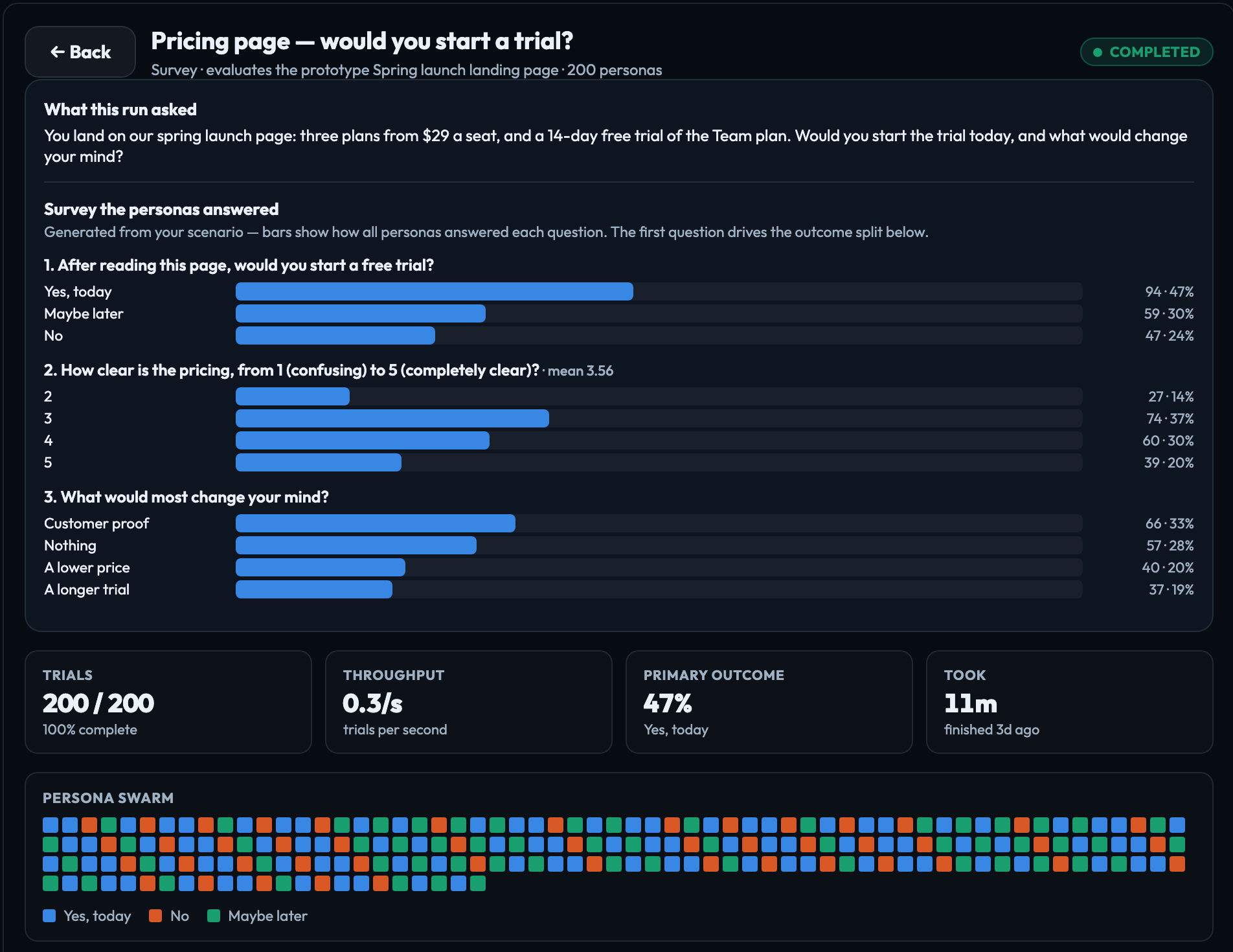
Click a simulation in the list to open it. While it runs the page updates by itself; when it finishes it becomes the final report. ← Back returns to the list.
At the top
| Status | Queued, Running, Completed, Failed or Canceled. |
|---|---|
| What this run asked | Your scenario. For a survey, also the questions the personas answered, each with how everyone answered it, as bars with counts and percentages. |
| Tiles | Trials finished out of the total; Throughput in trials per second (for a finished run, its average); Primary outcome — the most common answer and its rate; and Elapsed with an estimate of the time left while it runs, or Took, start to finish, once it is done. |
| Persona swarm | One square per persona, filling in with the colour of their answer as each one finishes. While the run is going, an outlined square is a persona working now. |
Findings
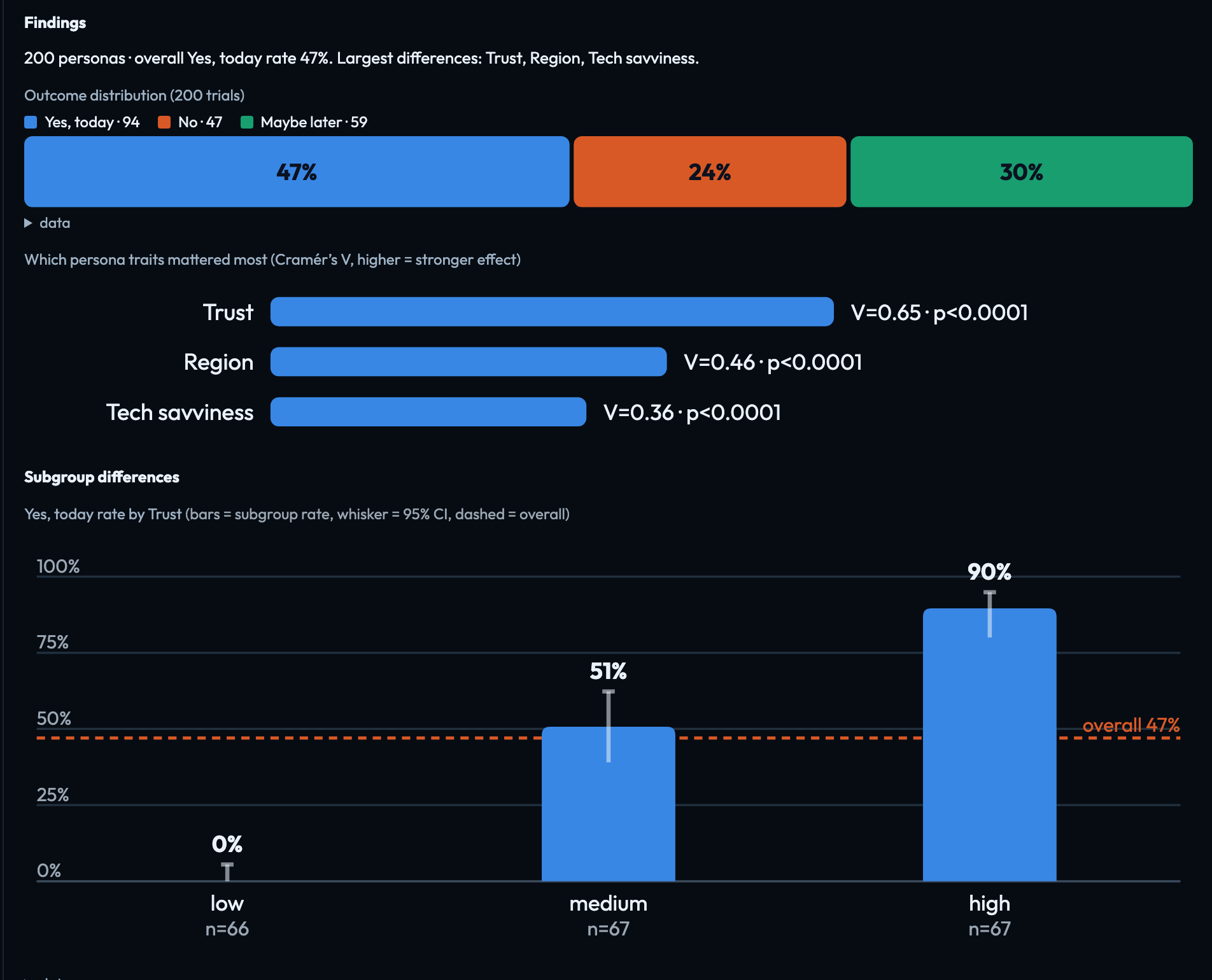
Once answers come in, Findings opens with a one-line summary — how many personas answered, the overall rate of the primary outcome, and the traits with the largest differences — then shows:
- Outcome distribution — how the answers to the first question split across everyone.
- Which persona traits mattered most — the traits whose groups answered measurably differently, strongest first. Traits are Trust, Tech savviness, Risk tolerance, Buying motivation, Region, Age, Household income, Socioeconomic band and Primary language.
- Subgroup differences — for each of those traits, a chart of each group's rate against the overall rate, with a range showing how sure that number is, and a sentence naming the group that stands out. For example: Trust "low" had the lowest Yes, today rate (0%, n=66) vs 47% overall.
Only differences that hold up statistically are shown. If none do, the report says No persona trait showed a significant difference after correction — the group reacted the same way across the board.
Metrics
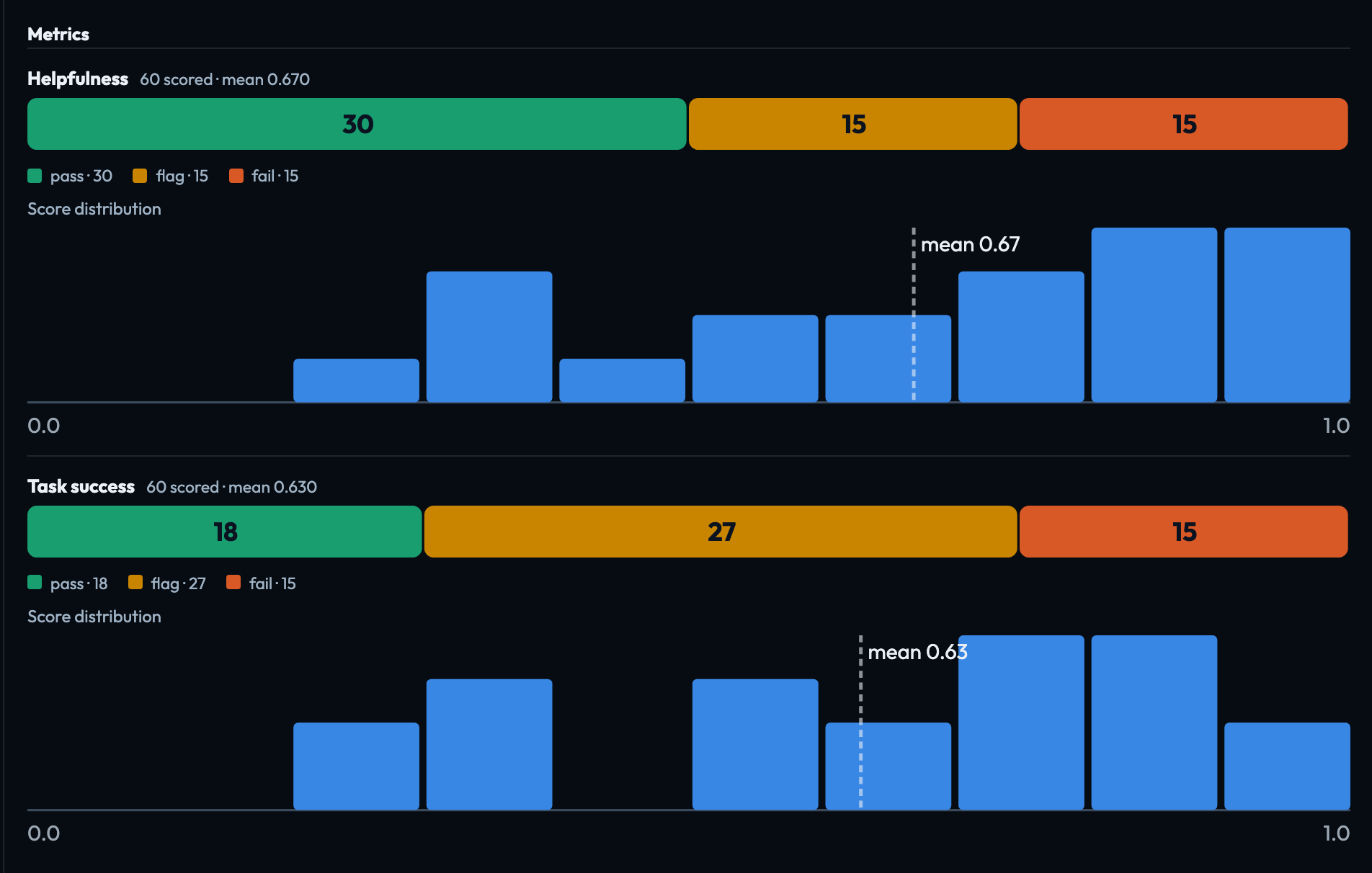
Each metric you ticked shows how many personas passed, were flagged or failed against its thresholds, the average score, and how the scores spread. Every persona is scored by an AI judge that reads their answers, or their whole conversation in a chatbot run, against the metric's rubric.
Sample conversations
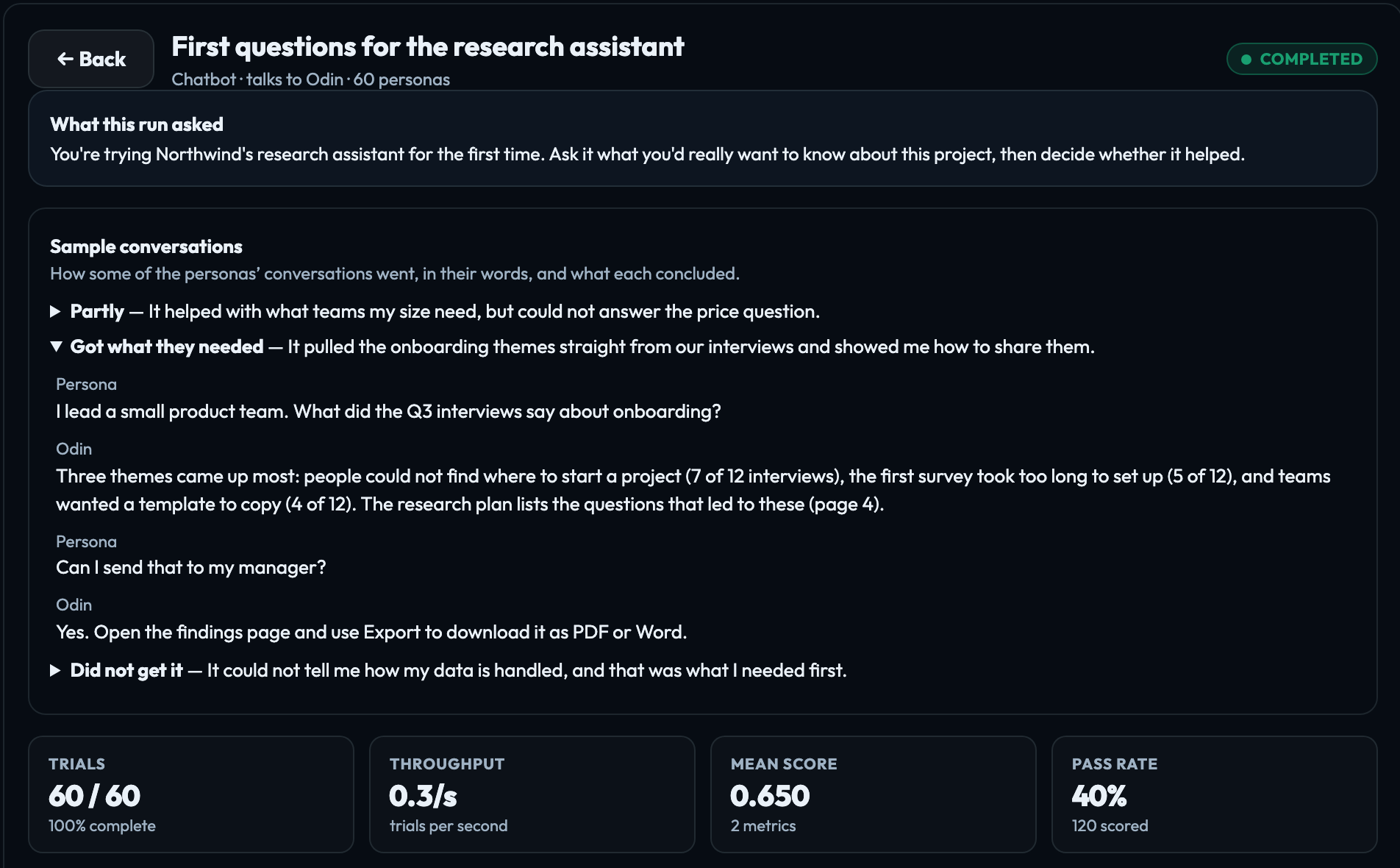
A chatbot run shows some of its conversations as they happened, each headed by the persona's verdict — Got what they needed, Partly or Did not get it — and why. Those verdicts are also the run's outcome.
Stopping a run
Cancel run stops a queued or running simulation. What already finished stays on the page, and a canceled run is not charged.
If something goes wrong
| Failed: No personas matched the selected filters. | The cohort is too narrow. Broaden or clear its filters and run again. |
|---|---|
| Failed: … | The run could not complete. It is not charged; try again, and contact VeraGen support (hello@veragen.ai) if it keeps failing. |
| No activity yet — this run is queued and has not started. | Runs normally start within a minute or two. One that has not started within an hour stops on its own, and the amount held for it is returned. |
| Failed: This run did not start within an hour, so it was stopped. | Nothing was charged. Run it again, and contact VeraGen support (hello@veragen.ai) if it happens twice. |
| Failed: This run stopped making progress, so it was stopped. | It went six hours without a new result. Nothing was charged. Run it again, and contact VeraGen support if it happens twice. |
| Failed: This simulation had no scenario… | Write what the personas should evaluate, or try to do, and run it again. It was not charged. |
| Failed: The survey questions for this run could not be written from your scenario… | Try again, or reword the scenario. It was not charged. |
Signed in to VeraGen? Press Guide me on any screen for a walkthrough, or ask Odin.