Public profile
Your public profile
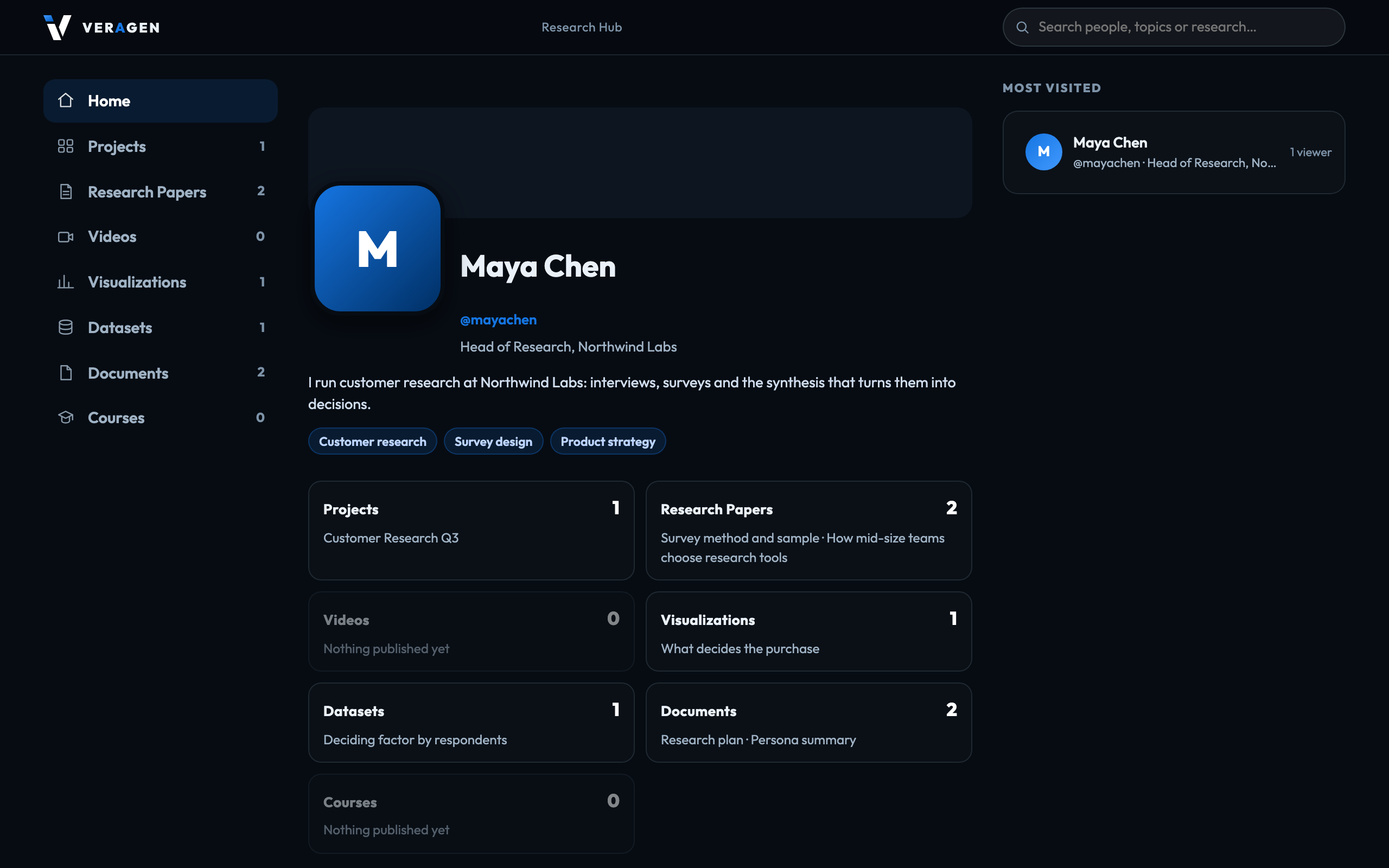
Everything in the hub is private until you publish it. Your public profile is where published work lives: a page at hub.veragen.ai/@yourname that anyone can open without signing in.
What appears on it
Your header — name, affiliation, bio, research fields, picture and banner — and the work you have chosen to publish: projects, videos, charts, datasets, documents and courses. Nothing else: not your unpublished work, your workflows, your account or your team.
Turning it on and off
Your profile has a master switch on My Public Profile. Switching it off takes the whole page, and everything on it, out of public view and out of search. Switching it on publishes nothing by itself — each piece of work has its own switch. Choosing what is public
Signed in to VeraGen? Press Guide me on any screen for a walkthrough, or ask Odin.