Lead Generation
What Lead Generation does
Lead Generation reads the web pages you point it at, picks out the people named on them, and scores each one against a brief you write. It can also buy real people with a work email and a phone from a data provider. Buy people data Open a project and choose Lead Generation from the search box at the top.
A project has one campaign. Its menu has three groups: Campaign (Overview, Leads, Runs), Discovery (Sources, People data, Connections) and Configure (Settings).
Set up a campaign
- Name it in Campaign name, and answer Who are you looking for, and why? Name the role, the kind of organisation and what makes them relevant: “heads of claims at UK motor insurers” works far better than “insurance people”. Every lead is scored against this brief.
- Click Create campaign.
- Open Sources and click ✚ Add a source to add a website or a list of addresses. Sources & runs
- Open Settings and add scoring criteria under Scoring. Leads & scoring
- On Overview, click Dry run to see what would be read and what it would cost, then ▶ Run now.
The Industry pack on the setup form is optional. It labels the campaign and does not change what a run reads or how leads are scored.
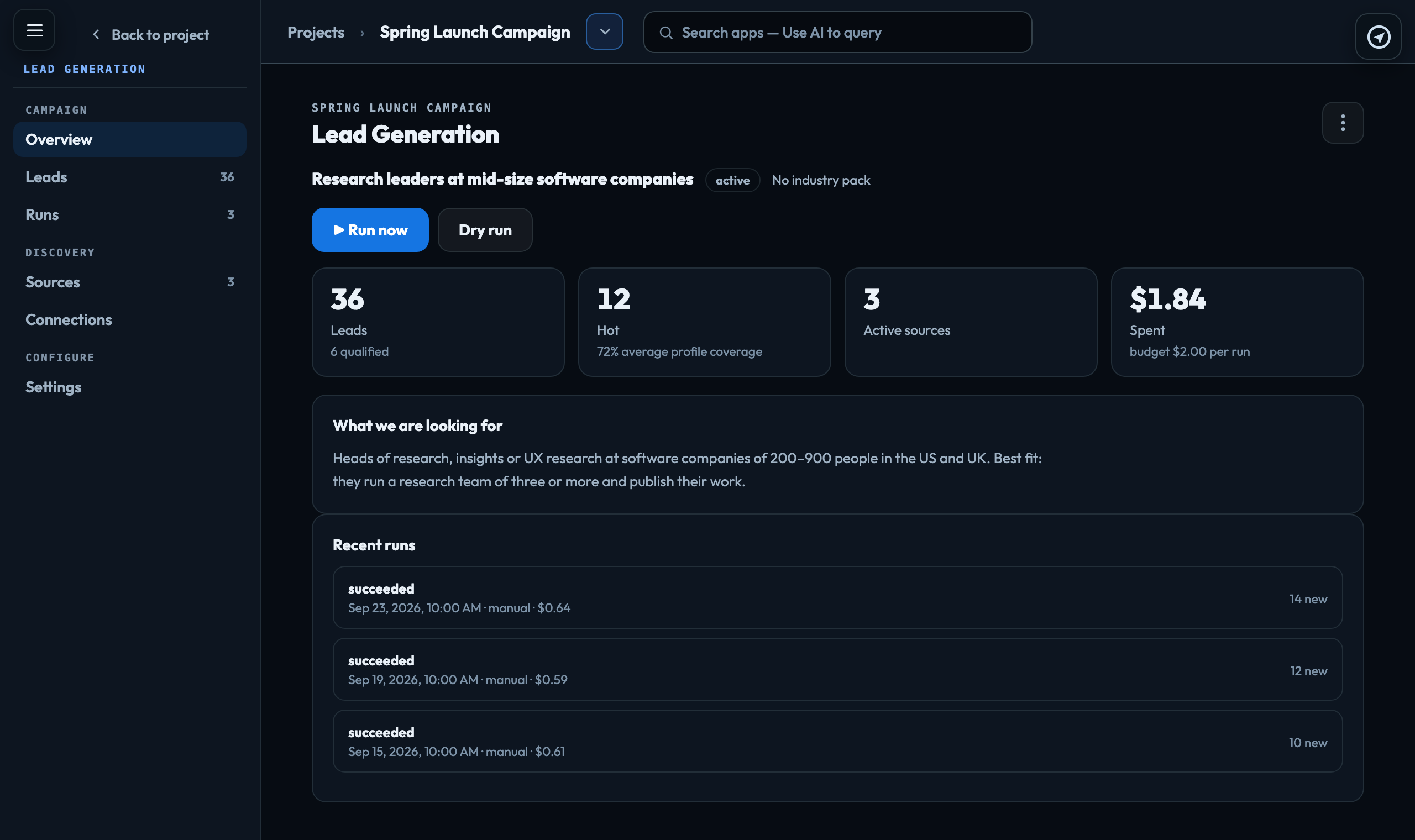
What you will see on Overview
| Leads | How many the campaign holds, and how many you have marked qualified. |
|---|---|
| Hot | Leads in the top band, with the average profile coverage. |
| Active sources | Sources a run will read. |
| Spent | The total cost of every run so far, beside the budget for one run. |
Below them are the brief and the five most recent runs.
Who can do what
Anyone who can open the project can read the leads and runs. Creating the campaign, changing sources and settings, running it, exporting and changing a lead's status need the owner, admin or publisher role. Buying people in People data needs the owner or admin role. Roles
What it costs
Reading pages and scoring leads uses AI credit. Dry run and the confirmation before every run show the estimate, and Runs shows what each run actually cost. A run stops when it reaches the campaign's Budget per run (USD) ($2.00 unless you change it in Settings).
In your usage this appears as Lead generation, Lead generation — the strategist, and Lead generation — reading a blocked page with a headless browser.
People bought in People data are charged per person returned, at the price shown before you buy, and appear as Lead generation — people bought from People Data Labs. Buy people data
Signed in to VeraGen? Press Guide me on any screen for a walkthrough, or ask Odin.