Thrive CRM
Deals, stages and outcomes
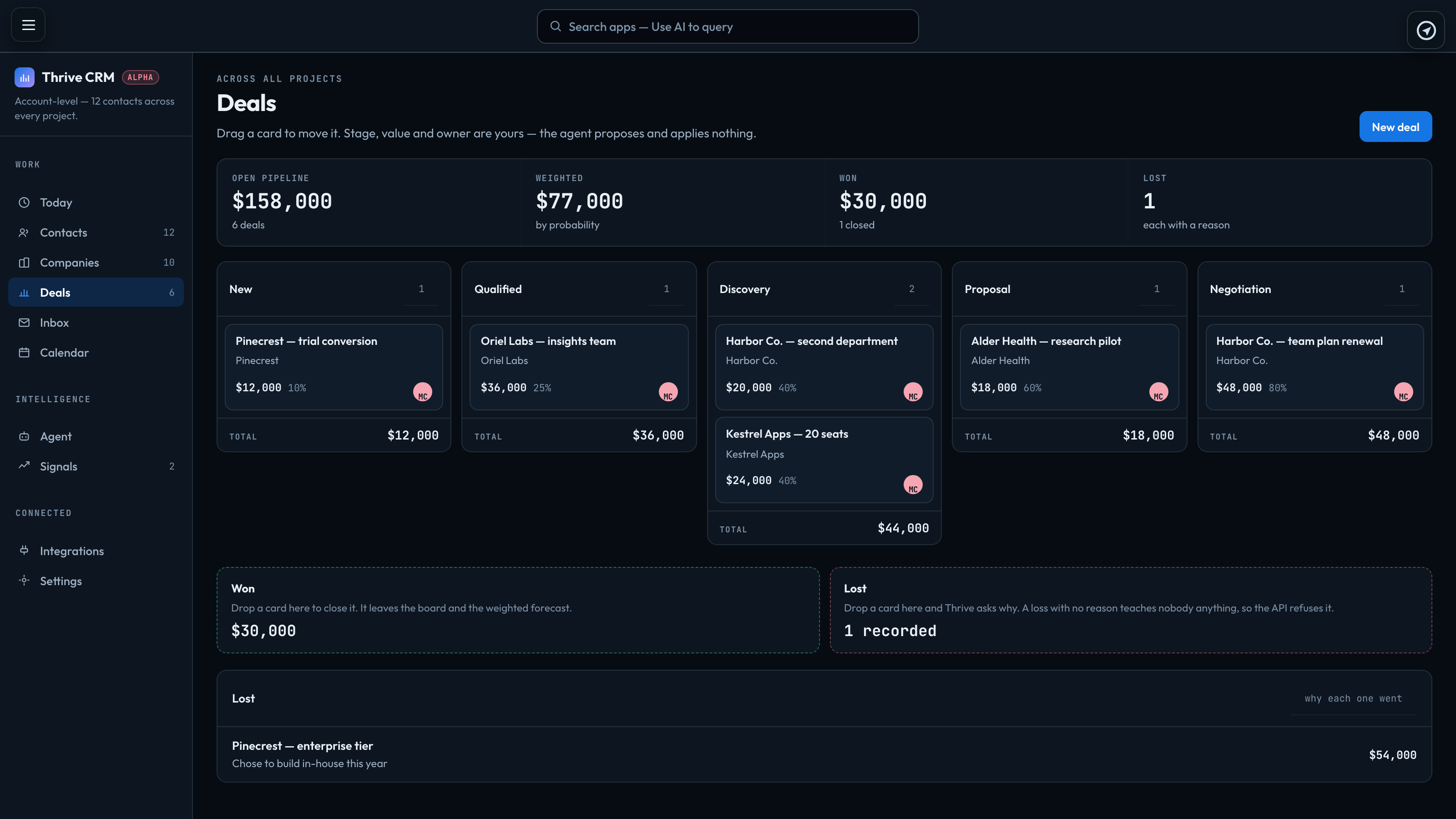
Thrive → Deals is the pipeline: one column per stage, and a card per open deal. Drag a card to another column to move it. The agent never moves a deal or changes its value.
The stages are fixed: New, Qualified, Discovery, Proposal and Negotiation. A deal remembers when it last moved, so you can see how long it has sat where it is.
A deal
New deal, or + New under Deals on a contact or company, opens the deal. It starts in New.
| Value | In whole currency units. |
|---|---|
| Probability | Per cent, 10 for a new deal. It drives the Weighted forecast at the top of the board. |
| Expected close, Next step | When you expect it to close, and what has to happen next. |
| Assigned to | Who owns it. A deal is private to its owner, like any record. Change it later under Owner & sharing. |
| Company, Primary contact | What it is attached to. + Link a project links it to projects too. |
Click a card to open it again. Its History shows every move, and who made it.
Won and lost
Won and lost are outcomes, not stages. Drop a card on Won or Lost below the board, or open it and press Mark won or Mark lost. A closed deal leaves the board and the weighted forecast, and its value counts under Won or its reason under Lost.
Marking a deal lost needs a reason — price, timing, no budget, went elsewhere. The Lost list shows why each one went.
A closed deal cannot be reopened, so Thrive asks you to confirm before it marks one won or lost. If a deal you closed comes back, create a new deal.
Signed in to VeraGen? Press Guide me on any screen for a walkthrough, or ask Odin.