FOIA Gen
Released documents
In FOIA Gen, choose Documents. Every file an agency sends with a reply is listed here, and kept in the project's Data Management, in a folder named after the request inside a FOIA folder, where it is read and searchable like any other file. Once Data Management has read a file, the list shows how many pages it has.
Watch the video
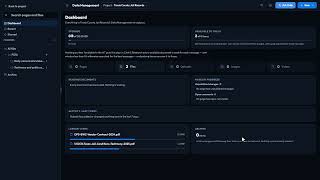 Released Documents and Appeals2:20 video
Select a document and press Analyse (or Analyse again) for an AI reading of it:
| Summary | What the document is and what it shows. |
|---|---|
| What the documents show, in order | The events it describes, in order, with the page each comes from. |
| Exemptions used | Each exemption the agency cited to withhold something, with its page and what it means in plain English. |
| Redactions by page | How much was blacked out, page by page (Redactions says None found. when there are none). |
| Worth a look | Things that may be withheld without good reason, which can go into an appeal. |
Analysing a document uses a little AI credit.
Signed in to VeraGen? Press Guide me on any screen for a walkthrough, or ask Odin.