FOIA Gen
What is FOIA Gen
FOIA Gen helps you get public records from any US government body, federal to local. Open a project and choose FOIA Gen from the search box at the top. It finds the agency that holds the records you want, writes the request to that agency's rules, sends it, and keeps track of every reply and deadline until you have the records.
Watch the video
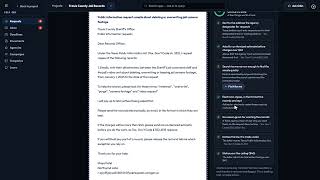 FOIA Gen Overview3:27 video
> FOIA Gen is in beta. You can find agencies and file, send and track real requests with it, and it is still being improved.
FOIA Gen has its own menu on the left; the hub's navigation is behind ☰. + New request is at the top of every FOIA Gen page.
| Requests | Every request in the project: what each one is waiting for, and what needs you. Your requests |
|---|---|
| Inbox | Every message agencies send about your requests, matched to the right request. The FOIA Gen inbox |
| Deadlines | Every open deadline, counted in the agency's own business days. Deadlines |
| Documents | The records agencies release, with an AI reading of each one. Released documents |
| Agencies | A directory of US bodies that take public records requests, each with its Rules card: federal agencies from FOIA.gov, and state and local bodies from public government directories, with their records contacts being confirmed. Finding the right agency |
| Campaigns | One request sent to many agencies, each copy written to that agency's rules, sent a few a day with one approval, and one board for every answer. Campaigns |
| Templates | Requests you have saved to reuse. Templates |
| Learn | How public records requests work, in plain English. |
Asking Odin
Press Ask Odin at the top right of any FOIA Gen page. Odin opens on the right, knows which request, agency or document you are looking at, and can explain a letter, an agency's rules or what to do next.
Who can use it
Owners, admins, publishers and members of the project can write, send and manage requests. Viewers can read every request, message and document, but can't change anything.
What it costs
Browsing agencies and reading Rules cards is free. The AI steps use a little AI credit, shown in your usage under FOIA Gen: finding an agency by asking, the questions and the draft, Improve, follow-up and appeal drafts, reading the letters agencies send, and analysing released documents. Speaking into a box instead of typing uses a little too. Speaking instead of typing
Each account can send up to 50 emails a month from FOIA Gen, counting requests, follow-ups and appeals. The count starts again on the 1st of each month (UTC). Ask VeraGen support if you need more.
Your own code can read the directory and the rules too, through the VeraGen API with a key that has the foia:read scope. Create and revoke API keys
Signed in to VeraGen? Press Guide me on any screen for a walkthrough, or ask Odin.