Chimp
Build: the AI engineer builds it
When the design is approved, the AI engineer builds your website or app story by story, from the stories in Skunk Works. Open the app and click Build in the steps across the top.
Watch the video
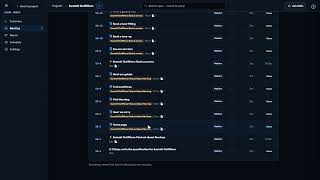 Watch Chimp Build It2:56 video
> [!NOTE] > Build runs on the apps platform. Until it is connected, Build says it is waiting for the apps platform: your approved spec, design and stories are ready for it, and nothing is charged. When it is connected, press Start building.
How it builds
- The project set-up. Chimp writes the first version itself, without the AI: every page of the approved design, the design system and the checks every change must pass. Websites are built with Astro; web apps, stores and portals with React, TypeScript and Vite. If you chose a chatbot, the set-up puts it on every page. For an Online store, the set-up also connects it to the project's store, the app where you keep products, orders and payments. Chimp makes a store key for the app's address, named after the app with (online store), in that app's Sales channels. The AI engineer then builds the shop on the store's catalog, cart and checkout page: prices, totals and stock always come from the store. The machine that checks each change has no internet, so the shop's products show in the preview and on the live site, not in the checks.
- One story at a time, in the spec's order. For each story the AI engineer writes the change. Then it is checked in a locked machine on the apps platform: it is installed, type-checked, linted, its unit tests run, and it is built. Only a change whose checks all pass is added to the app. The hub never runs your app's code.
- The board moves in Skunk Works as it goes: To do, then In progress while the engineer writes, In review while it is checked, Done when it is in. Each story gets a note of what changed and which checks passed.
- A change that fails its checks goes back to the engineer with what failed, up to three tries. After that it needs a person: it moves to a Needs a person lane, Build shows what failed, and Try again starts it afresh. The set-up, and words or pictures you changed yourself, need a person after the first failure.
When every story is done and every check is green, Build is complete and QA is next; nobody approves this step. See QA. The work carries on when you leave the page.
Every app has its own repository on VeraGen's GitLab. Each change is saved on its own branch and merged when its checks pass. You never have to look at it. With Developer tools on, you can.
The live preview
Beside the board is the app as built so far, on a locked address (something.veragen.dev) that opens only inside the hub. It appears when the first change is built and green, and updates each time a change is added. Its address is renewed by itself while the page is open, so the preview keeps working after the build is finished.
Press ✎ Edit words and pictures, then click any word on the preview to change it, or any picture to swap it for one from the project's Data Management. Each edit is saved as a change, checked like any other, and the preview updates when it is in. More build options → Words on the site lists every word you can edit, by page, if you prefer a list.
Ask for a change
Ask for a change… at the top takes plain words, for example "make the header stay at the top" or "add a page for puppy classes". Chimp sizes it:
- A small change is proposed as one change.
- Anything larger is proposed as a new story, with acceptance criteria. When you accept, it is added to the spec (a new version of the spec page) and to the Skunk Works board, then built.
Nothing is built until you press Accept (or Not now). Chimp never makes up facts about your business here either: a price nobody gave is marked "please check".
More build options
| Pause building after the current step | Pause stops after the current step; Resume carries on. |
|---|---|
| Words on the site | Every editable word, by page. |
| Advanced build settings | The stack, the checks every change passes, where they run, and the repository. |
Click any card on the board to see what it was asked to do, what it did, its checks and its tries. With Developer tools on, you also see its branch, its commit and the lines it changed.
Developer tools
With the Developer tools switch on (at the foot of Chimp's menu):
| Code | The app's files as they are now, and each file's contents. |
|---|---|
| Repository | Every change: its commit, its branch, whether it is merged, its checks, and a link to the repository on GitLab. |
| Logs | Each change's run on the apps platform, with each check, and the end of the log of any check that failed. |
| Tests | The app's tests and their latest results, to read: the unit tests in the repository (click one to open it), the acceptance tests the AI QA engineer wrote from your spec, as steps, the latest change's checks, and the latest QA run criterion by criterion. To run the tests, or confirm a criterion a person checks, use Open QA. See QA. |
Signed in to VeraGen? Press Guide me on any screen for a walkthrough, or ask Odin.