Mercato
What is Mercato
Mercato is your store: what you sell, the orders, bookings, subscriptions and invoices that come in, and the money that arrives for them. Open a project and choose Mercato from the search box at the top. Each project has its own store.
Watch the videos
 Mercato Overview4:13 video
 Build, Sell, Follow Up: Chimp, Mercato and Tellagent Together4:50 video
Mercato has its own menu on the left; the hub's navigation is behind ☰.
| Overview | Money in, paid orders, what is owed on sent invoices, recurring revenue, today's bookings, and what needs you: orders to fulfil, overdue invoices, failed subscription payments, low stock. Ask about sales sends your question to Odin. |
|---|---|
| Orders | Every order, with its payment and fulfilment. Record a payment, ship it, print packing slips, send a return label, refund or cancel. Orders |
| Products | What you sell, with variants, prices, stock and pictures from Data Management. Products and services |
| Services | What you do for people: length, price, deposit, booking rules and intake questions. Products and services |
| Bookings | Your services on a calendar, in the store's timezone. Bookings |
| Subscriptions | Plans customers pay for every week, month or year, by card or by invoice. Subscriptions |
| Invoices & quotes | Bill for work and products; customers pay from a link, or you record the payment. Invoices and quotes |
| Customers | Everyone who has bought, booked, subscribed or been invoiced. They are your Thrive contacts. Customers |
| Discounts | Codes and offers such as "buy 2, get the 3rd free". An offer with no code applies by itself, in Mercato and on your website (the one that takes the most off); a code the customer gives takes its place. |
| Payouts & payments | Connect Stripe, see every payment and refund, and export for your accountant. Export for your accountant |
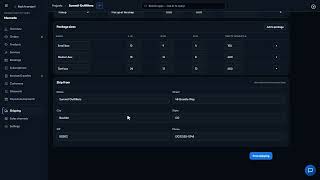
| Shipping | Your delivery options, package sizes and ship-from address. |
| Sales channels | The websites that sell this store, each with its store key. Sell on your website |
| Settings | The store's name, reply-to email, timezone, tax rates, invoice numbering, reminders, subscription retries, booking rules and the accounting export's codes. |
Who can do what
- Anyone who can open the project can see the store.
- Everyone but a viewer can add products, write and send invoices, record payments, take bookings and add subscribers.
- Refunds, voiding a sent invoice, the store's settings, store keys for websites and connecting Stripe are for an owner or admin of the account.
Tellagent can act on everything that happens in the store: see Messages and automations.
Signed in to VeraGen? Press Guide me on any screen for a walkthrough, or ask Odin.